
Where is the data from the Events Log Reports being stored?
This tutorial has moved to the new WP Ghost Knowledge Base where each feature is presented in detail.
Events Log data is stored in two places: locally in your WordPress database and optionally on WP Ghost’s cloud servers. Local logs are retained based on the retention period you configure. Cloud logs are kept for 30 days and then permanently deleted. The cloud copy can be exported in Excel format before deletion. Data is not shared with third parties and is not used for marketing.
Local Storage (WordPress Database)
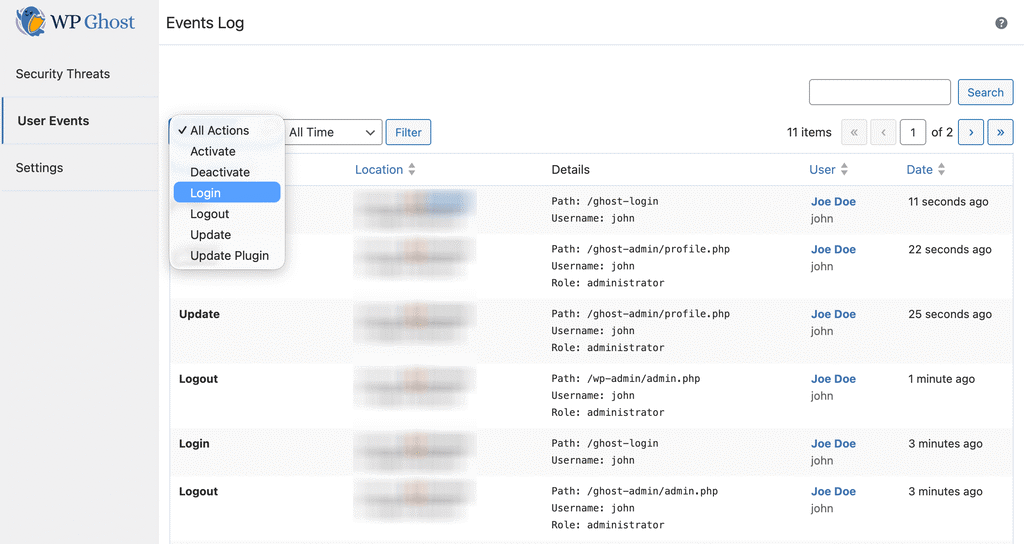
When you enable the Events Log at WP Ghost > Logs > Settings, events are recorded in a dedicated database table (_hmwp_logs) inside your WordPress database. This is the primary storage location. You control the retention period through the plugin settings. Local logs are accessible from WP Ghost > Logs > User Events in your WordPress dashboard. If the plugin is uninstalled, local logs are removed along with the database table.
Cloud Storage (WP Ghost Dashboard)
If you enable Enable Cloud Storage for Events Log in the Logs settings, WP Ghost syncs a copy of events to the WP Ghost Dashboard. Cloud logs are retained for 30 days and then permanently deleted. The cloud copy contains the same information as the local report: action name, username, post ID, post type, post name, plugin name, attachment name, IP address, and timestamp.
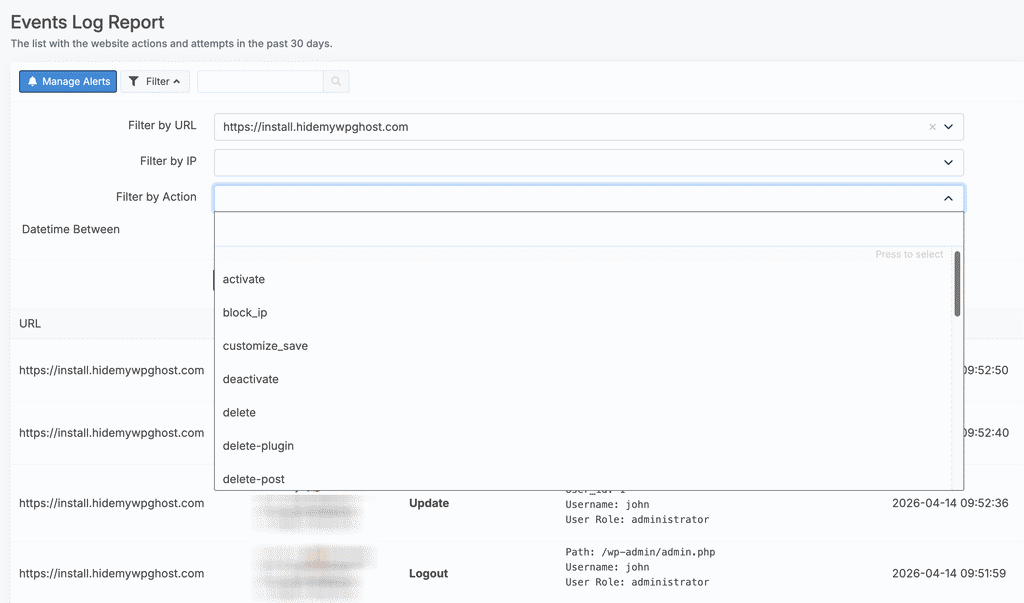
The advantage of cloud storage is that it survives local tampering. If your site is compromised and an attacker modifies the database or deletes the plugin, the cloud copy preserves the activity log for investigation. Cloud logs are also accessible from any device through the WP Ghost Dashboard, which is useful if you manage multiple sites.
Cloud logs can be exported in Excel format from the WP Ghost Dashboard before the 30-day deletion. Event times in the cloud are stored in UTC-0, so convert to your local timezone when reviewing.
What Data Is Collected
The Events Log records: action names (login, logout, plugin activation, post deletion, etc.), post IDs and types, usernames, post names, plugin names, attachment names, IP addresses, and timestamps. Each piece of information is saved only when a user triggers an action. The data is not shared with any third parties and is not used for marketing purposes. For the full privacy details, see the WP Ghost GDPR Compliance page.
For the complete Events Log configuration guide including role-based filtering, email alerts, and searching the log, see the User Events Log tutorial.
Frequently Asked Questions
Is cloud storage required for the Events Log?
No. Cloud storage is optional. You can use the Events Log with local storage only. However, cloud storage is required if you want to set up email alerts for critical events (like logins from new IPs or plugin deletions), and it provides a tamper-proof copy that survives plugin deletion.
Is the Events Log GDPR compliant?
WP Ghost stores usernames, IP addresses, and user actions, which counts as personal data under GDPR. If you need GDPR compliance, inform your users that their dashboard activity is logged. Cloud data is automatically deleted after 30 days. Local retention is configurable. A notification in the WP Ghost sidebar informs administrators when cloud storage is active. See the GDPR Compliance page for full details.
Is this a free or Premium feature?
The User Events Log is a Premium feature. The free version includes path security, firewall, brute force protection, and 2FA but does not include event logging. See the Free vs Premium comparison.
Does WP Ghost modify WordPress core files?
No. The Events Log operates through WordPress hooks that monitor actions. Local logs use a dedicated database table. Cloud logs are sent via API. No WordPress core files are modified.