
Can I Hide My WordPress Site Until It’s Ready?
This tutorial has moved to the new WP Ghost Knowledge Base where each feature is presented in detail.
Yes. You can hide your WordPress site during development using two built-in WordPress methods, and you should install WP Ghost before going live so your site launches with hack prevention already active. Here’s how to handle the development phase and the launch transition.
How Do I Hide My Site from Search Engines During Development?
The quickest method is WordPress’s built-in noindex setting. Go to Settings > Reading and check “Discourage search engines from indexing this site.” This adds a noindex meta tag to every page, telling Google and other search engines not to index your site while you’re building it.

Important: Remember to uncheck this option when your site is ready to go live. Forgetting to turn this off is one of the most common reasons new sites don’t appear in Google for weeks after launch.
How Do I Hide My Site from Visitors During Development?
The noindex setting only hides your site from search engines. Visitors who know your URL can still see the site. To hide it from everyone, install a maintenance mode plugin. Popular free options include WP Maintenance Mode and CMP Coming Soon & Maintenance Mode (both are compatible with WP Ghost). These plugins display a “coming soon” or “under construction” page to visitors while you work on the site behind the scenes. Only logged-in administrators see the actual site.
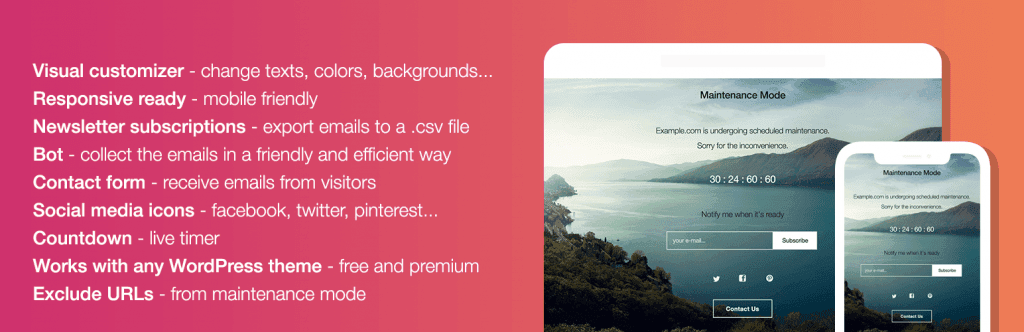
The plugin lets you customize the placeholder page and keeps the real site hidden from visitors and search engines. Only logged-in administrators see the actual site. Here’s how visitors see the frontend while maintenance mode is active:
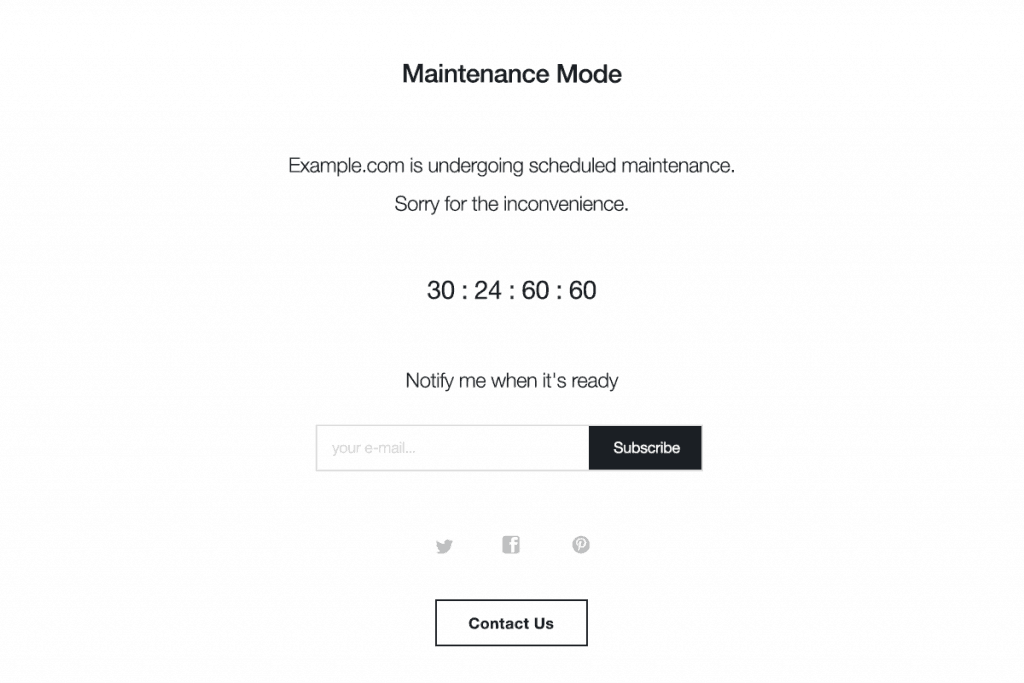
Maintenance mode plugins also let you collect email addresses from visitors who land on your coming soon page. This means you can start building an audience before the site even launches.
When Should I Install WP Ghost?
Install WP Ghost during the development phase, before your site goes public. Here’s why: bots start scanning your domain the moment it resolves to a server, even during development. If your site runs on a live server (not localhost), bots can find your default WordPress paths, probe for vulnerabilities, and attempt brute force attacks before you’ve even published your first page.
Installing WP Ghost during development means your site launches with path security, firewall, and brute force protection already configured. You don’t have to scramble to add security after going live.
What’s the Recommended Pre-Launch Checklist?
Before making your site public, make sure these are in place:
Check “Discourage search engines from indexing” during development, and uncheck it when you’re ready to launch. Install a maintenance mode plugin to hide the site from visitors during development. Install WP Ghost and configure it with a Security Preset so your site launches protected from day one. Customize your login path and bookmark it. Enable the 7G/8G firewall and brute force protection. Run a Security Check to verify your configuration. When you’re ready to launch, deactivate the maintenance plugin and uncheck the noindex setting.
For the recommended WP Ghost configuration, see the best practice guide.
Frequently Asked Questions
Does WP Ghost itself hide my site from visitors?
WP Ghost hides your WordPress identity from bots, scanners, and theme detectors, but it doesn’t hide your site’s content from human visitors. For that, use a maintenance mode plugin during development. WP Ghost and maintenance mode plugins work together: the maintenance plugin hides your content, WP Ghost hides your WordPress infrastructure.
Can I use WP Ghost with a maintenance mode plugin?
Yes. WP Ghost is compatible with popular maintenance mode plugins including WP Maintenance Mode and CMP Coming Soon & Maintenance Mode. Both appear on the compatible plugins list.
Will the noindex setting completely prevent indexing?
The “Discourage search engines from indexing” setting adds a noindex tag, which most search engines respect. However, it’s a request, not a guarantee. Some minor crawlers may ignore it. For stronger protection during development, combine the noindex setting with a maintenance mode plugin and WP Ghost’s firewall to block unwanted traffic at multiple levels.
Does WP Ghost modify WordPress core files?
No. WP Ghost uses server rewrite rules and WordPress filters to change paths and block threats at runtime. No core files, theme files, or plugin files are modified. Deactivating WP Ghost restores all defaults instantly.