
Is It Safe That I Can Access wp-admin While Logged In?
This tutorial has moved to the new WP Ghost Knowledge Base where each feature is presented in detail.
Yes, this is safe and intentional. WP Ghost hides the default /wp-admin path from non-logged-in visitors and bots, which is where attacks come from. Logged-in administrators can still access /wp-admin because they have already been authenticated. This is a safety feature: it ensures the dashboard remains accessible even if you deactivate WP Ghost or if another plugin depends on the default admin path.
How WP Ghost Handles the Admin Path
WP Ghost’s path security is designed to block unauthenticated access, not authenticated access. When a bot or non-logged-in visitor tries to access /wp-admin, WP Ghost returns a 404 error or redirects them to a page you specify. The bot cannot confirm WordPress and moves on. When you are logged in as an administrator and visit /wp-admin, WP Ghost recognizes your authenticated session and lets you through. Your custom admin path also works, giving you two ways to reach the dashboard.

This dual-access approach exists for an important practical reason: if WP Ghost is deactivated (intentionally or due to an update conflict), the default /wp-admin path automatically becomes accessible again. If WP Ghost only allowed access through the custom path and something went wrong, you could be locked out of your own site. Keeping the default path accessible for authenticated administrators is a built-in safety net.
Restricting wp-admin for Non-Admin Logged Users
By default, all logged-in users (subscribers, contributors, editors, authors, and administrators) can access the /wp-admin path. If you want to restrict the default admin path to administrators only, go to WP Ghost > Change Paths > Admin Security and enable Hide “wp-admin” from Non-Admin Users. With this enabled, logged-in users who do not have an administrator role are redirected away from /wp-admin. Only administrators can access the default path.
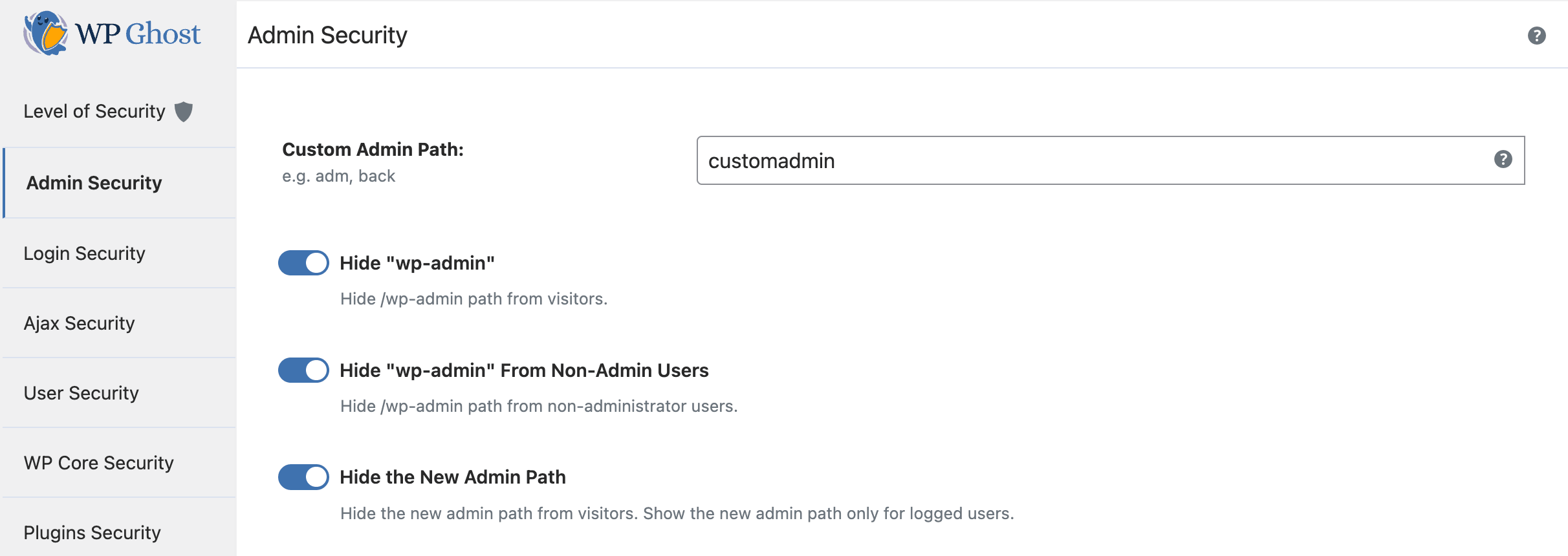
This is useful for membership sites, WooCommerce stores, and multi-author blogs where subscribers and customers should not see the admin backend. Those users can still access their profile pages and any frontend-facing dashboards provided by your theme or plugins. For the full admin path configuration, see the Change wp-admin Path tutorial.
Additional Layers for Admin Security
The hidden admin path is one layer. For complete admin security, WP Ghost provides several additional protections that work together. Change the login path so bots cannot find the authentication form. Enable brute force protection with reCAPTCHA to limit login attempts on the custom login URL. Activate 2FA so even a compromised password doesn’t grant dashboard access. Enable security headers to protect against clickjacking on admin pages. Together, these layers ensure that only authenticated, authorized users reach the dashboard, regardless of whether they use the custom path or the default.
Frequently Asked Questions
Can bots discover that wp-admin is accessible for logged-in users?
No. Bots are not logged in. They send anonymous requests to /wp-admin and receive a 404 error or redirect. The authenticated access path is only available to users with a valid WordPress session cookie. Bots do not have that cookie.
Should I also hide wp-admin from the admin toolbar on the frontend?
The admin toolbar link is only visible to logged-in users viewing the frontend. Non-logged-in visitors and bots never see it. If you want to hide the default admin path from the toolbar for non-admin roles (like editors viewing the frontend), the “Hide wp-admin from Non-Admin Users” option handles this.
What if I want only the custom path to work, not the default wp-admin?
You can enable Hide “wp-admin” in WP Ghost > Change Paths > Admin Security. This hides the default path for all non-logged-in users. For logged-in administrators, the default still works as a safety net. If you want to fully restrict the default path even for administrators, this is not recommended as it creates a lockout risk if WP Ghost is deactivated.
Does WP Ghost modify WordPress core files?
No. The wp-admin directory is not renamed or modified. WP Ghost uses server rewrite rules and session detection to control access. Deactivating the plugin restores normal access to /wp-admin for everyone.