Last updated: April 15, 2026
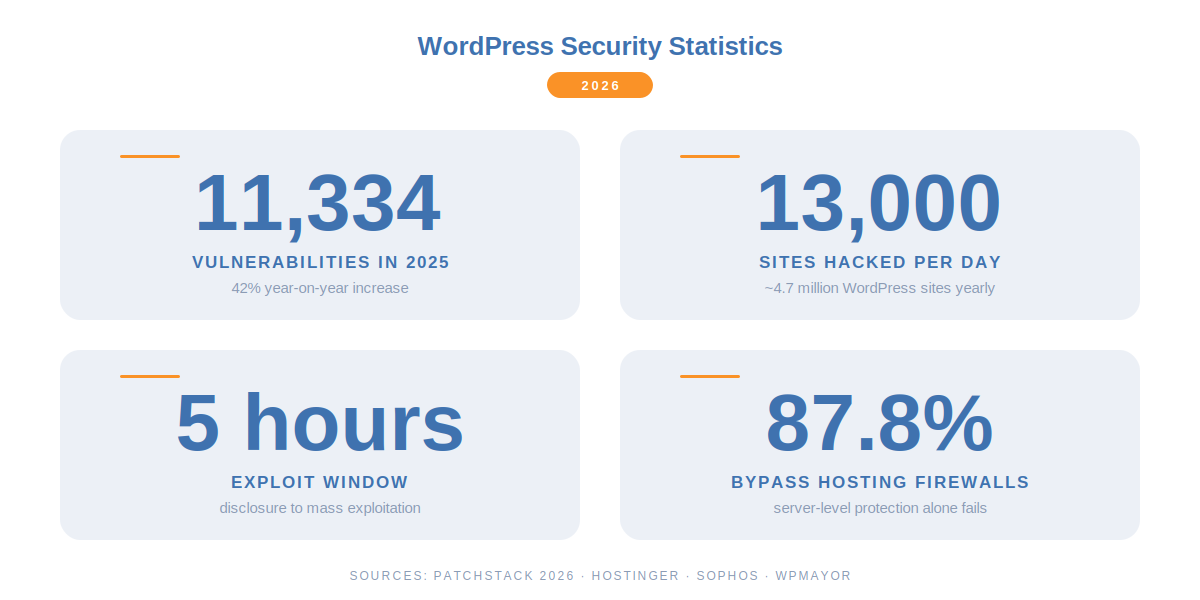
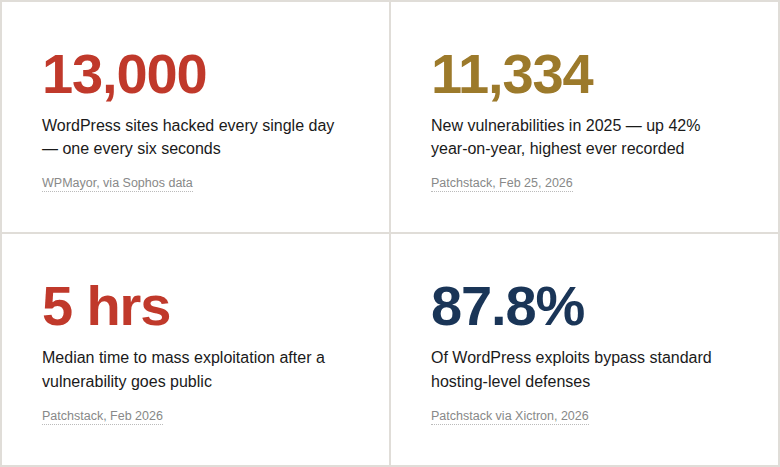
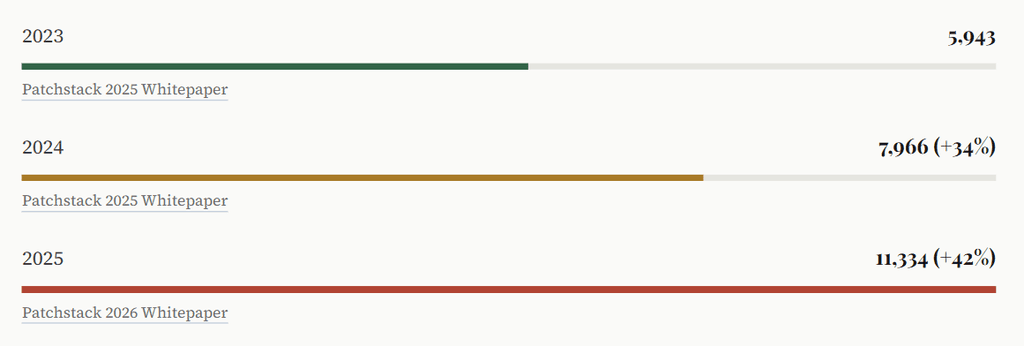
In 2025, 11,334 new WordPress vulnerabilities were recorded , a 42% increase year-on-year.
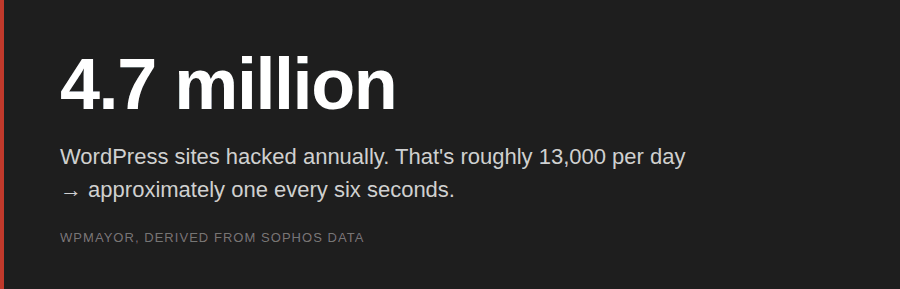
Approximately 13,000 WordPress sites are hacked per day.
The median time from vulnerability disclosure to mass exploitation is 5 hours.
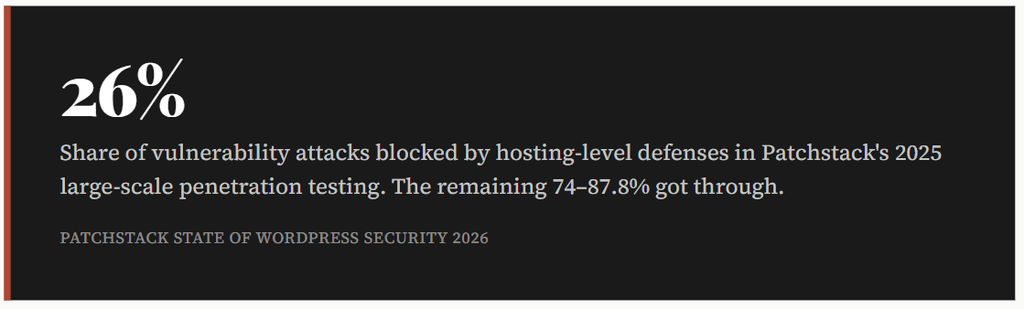
87.8% of exploits bypass standard hosting defenses.
🆕 2026 updatePatchstack published its State of WordPress Security in 2026 whitepaper on February 25, 2026. The 5-hour exploitation window, the 87.8% hosting defense failure rate, and all Q1 2026 data are now included.
Source: Patchstack 2026
01. Key WordPress security statistics at a glance
The four headline numbers from the 2025 and 2026 data:
Those four numbers tell most of the story.
But the details matter – because understanding why these numbers look the way they do is what actually leads to doing something about it.
02. How big is the WordPress attack problem?
WordPress runs 43.5% of all websites on the internet.[Hostinger, 2026]
Nearly half the web.
Which makes it the single most attractive target for cybercriminals – not because WordPress is uniquely insecure, but because attacking it at scale makes economic sense.
Build one scanner. Run it against the internet. Almost every other site is WordPress.
Most of those hacks are not targeted. Not personal.
Automated bots scan millions of sites daily looking for recognizable patterns – a standard login page URL, an exposed version number in a meta tag, a plugin signature in the page source.
They’re not after you specifically.
They’re after anyone running a vulnerable, identifiable WordPress installation who hasn’t hidden it.
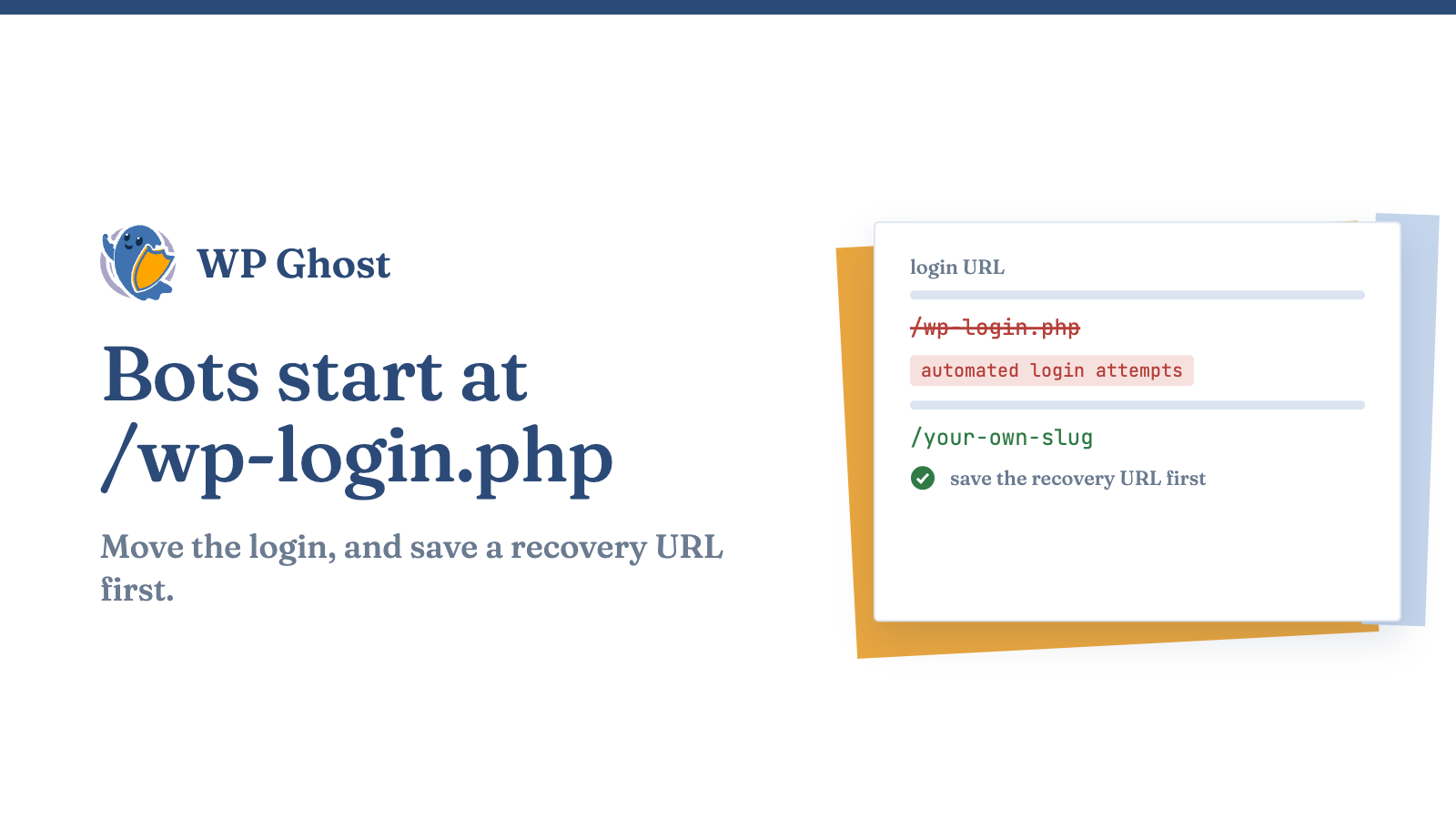
A new WooCommerce store with default settings still answers on the standard /wp-login.php path. Its WordPress version sits in a meta tag. A bot reads both, checks the version against a known vulnerability database and queues the site for automated exploitation. The owner never sees the scan. The first sign is often a Google Search Console warning.
That scenario plays out thousands of times per day. The sites aren’t interesting – they’re just visible.
One widely used WordPress security plugin blocks 55 million exploit attempts and over 6.4 billion brute force attacks every single month across its network. [TDW Digital, 2025]That is not a spike. That is the permanent baseline.
03. 11,334 vulnerabilities: Breaking down the 2025 numbers
Patchstack’s State of WordPress Security in 2026 – published February 25, 2026 – confirmed a record year for WordPress vulnerabilities. Not marginally above average. A record, by a substantial margin.
Three years. Vulnerabilities essentially doubled.
And Q1 2026 data is not reassuring – in the first week of January 2026 alone, 333 new vulnerabilities were disclosed, with 120 of them having no patch at the time they went public. [WebHostMost, Mar 2026]
The weekly average heading into 2026 is 250+ plugin vulnerabilities per week – 36 per day.
Where are all these vulnerabilities coming from?
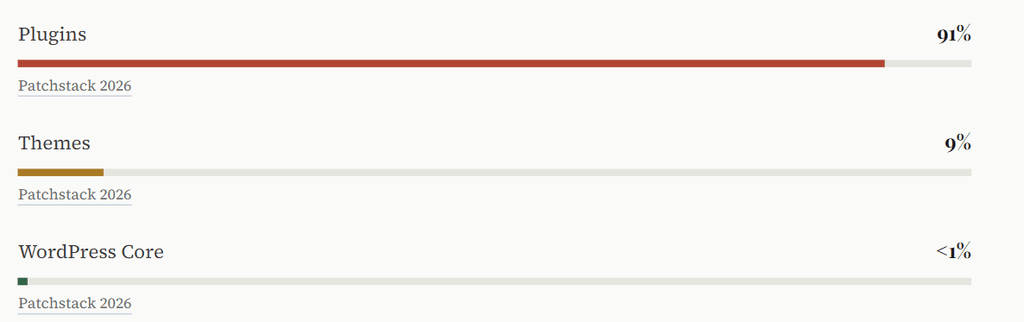
Not the core. The WordPress core team has strict security review processes, and the numbers reflect it: only two core vulnerabilities were found in all of 2025. [Patchstack 2026]
The problem is the ecosystem around it:
Plugins. Ninety-one percent. Every plugin installed on your site is a potential entry point, and the average WordPress installation runs between 20 and 30 of them.
Multiply that by millions of sites, and the scale of the exposure becomes clear.
🆕 2026 trend to watchPatchstack calls out “vibe coding” – AI-generated plugins shipped by developers who can’t audit the code an LLM just wrote for them. When the person shipping the code can’t review it for security problems, vulnerabilities go live silently. This is accelerating, not stabilizing.
Source: Patchstack 2026
The severity jump is also significant. Highly exploitable vulnerabilities – the ones attackers actively weaponize at mass scale – increased by 113% year-on-year in 2025.[The Repository / Patchstack, Mar 2026]
More high-severity vulnerabilities were found in 2025 than in the previous two years combined.
04. The 5-hour problem: How fast are WordPress vulnerabilities exploited?
Here’s the number from Patchstack’s 2026 report that changes how you have to think about WordPress security:
Five hours.
From public disclosure to active mass exploitation – five hours.
This matters because the traditional advice (“keep your plugins updated”) assumes you have time to act. For heavily targeted vulnerabilities, you often don’t.
The exploitation timeline for heavily targeted vulnerabilities:
0–5h
Median first exploitation attempt. Automated scanners
monitor vulnerability disclosure feeds and deploy exploit code within
hours of a CVE going public.
Patchstack 2026
20%
of top-targeted vulnerabilities are actively exploited within
6 hours of public disclosure.
Patchstack 2026
45%
within 24 hours. By the time most site owners read
about it in a newsletter, attacks have been running for a full day.
Patchstack 2026
70%
within 7 days – roughly when most people get around
to applying that update notification they’ve been ignoring.
Patchstack 2026
And here’s what makes the 5-hour window even more dangerous:
46% of vulnerabilities had no patch available at the time of public disclosure.[WP Edition / Patchstack, Feb 2026]
There is no update to apply. The vulnerability is public, documented, actively scanned for – and the plugin is still broken.
Why?
Because 52% of plugin developers do not patch before disclosure.[Patchstack via Xictron, 2026]
The researcher found the bug, reported it responsibly, waited, published – and the developer still hadn’t shipped a fix.
Patchstack says it plainly: “Regular plugin updates are the second line of defence, but as attackers weaponize new vulnerabilities within mere hours, this is not a viable defence.”
05. Where do hackers actually get into WordPress sites?
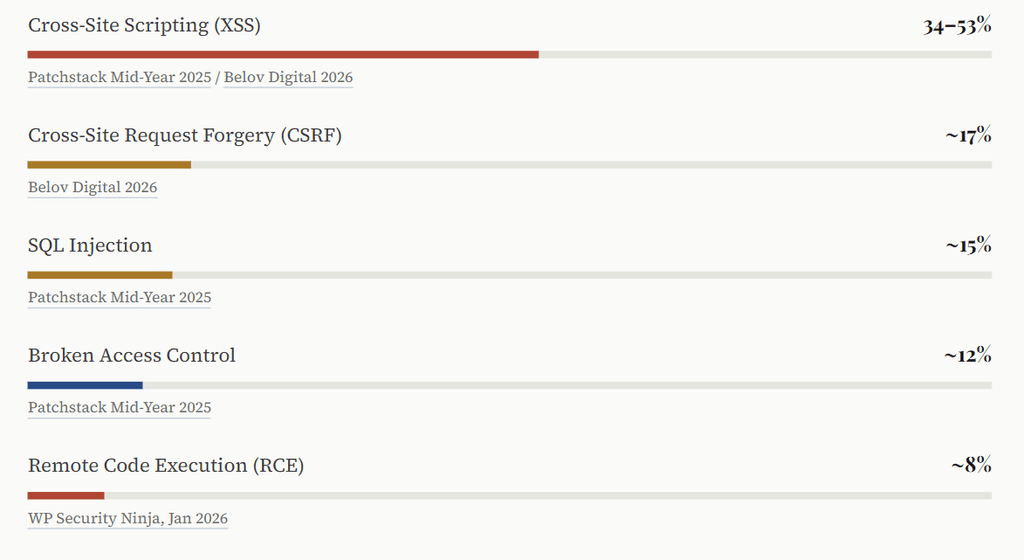
Attack types dominating 2025–2026
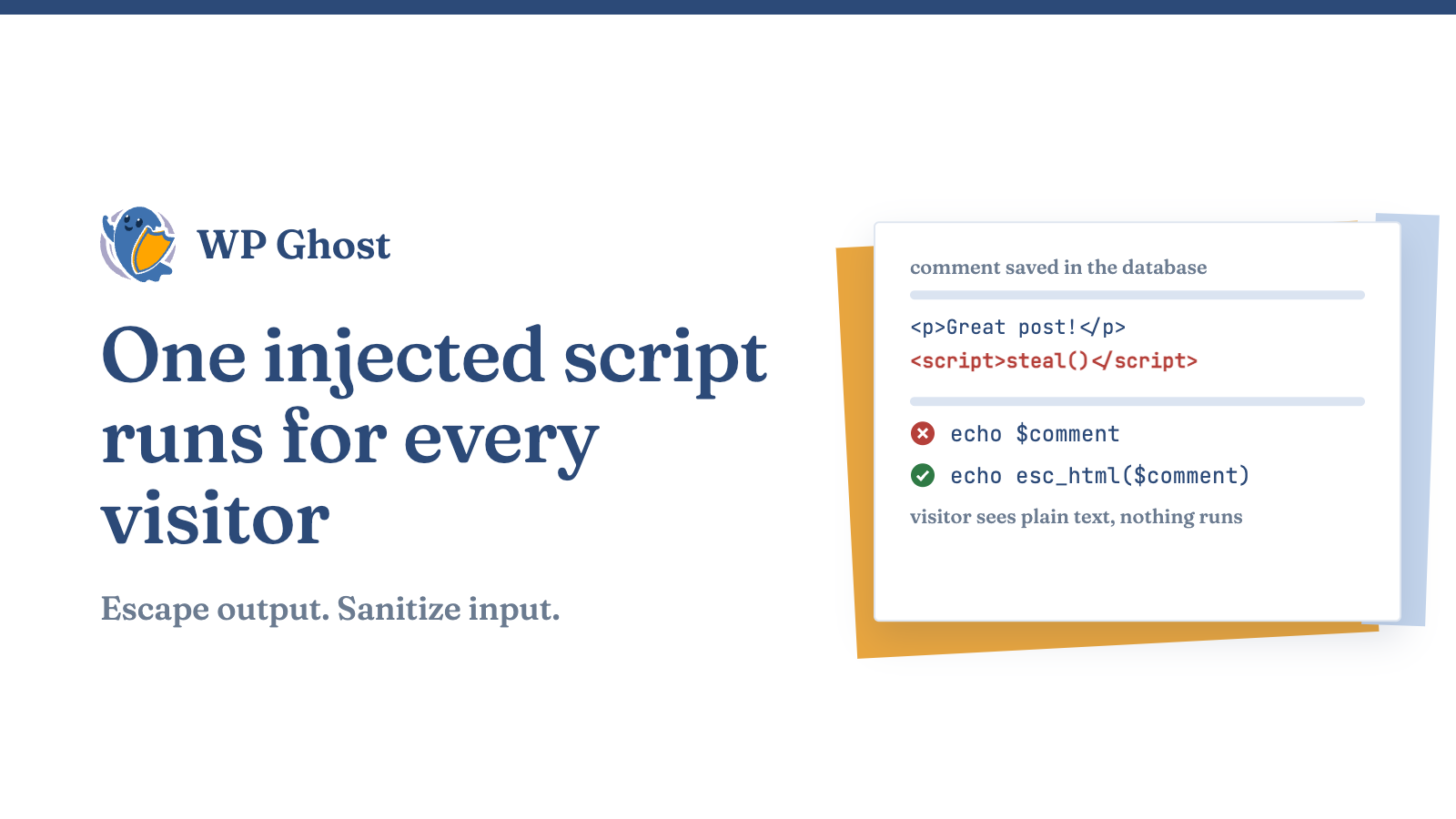
XSS dominates because it’s easy to introduce in plugin code and notoriously difficult to patch completely.
What makes 2025’s data particularly uncomfortable:
57% of vulnerabilities in H1 2025 required no authentication whatsoever. [Patchstack Mid-Year 2025]
No login needed. No password to steal. Just a vulnerable plugin, installed and active.
What do attackers leave behind on hacked WordPress sites?
A website security vendor’s data on what’s found on compromised WordPress sites: [Hostinger, 2026]
- 72.7% contain active malware
- 69.6% have unauthorized backdoors – persistent access the attacker can return to later
- 46.7% have SEO spam injected – hidden keyword-stuffed content that triggers Google penalties
- 8.1% have phishing pages embedded within them
The 2026 Patchstack and Monarx report adds an important shift: attackers are now injecting code into legitimate WordPress core, plugin, and theme files rather than dropping standalone malicious files. Traditional “scan and delete” malware removal misses this entirely. [The Repository, Mar 2026]
⚠️ The login page exposureIn 2023, Wordfence blocked over 100 billion credential stuffing attacks from 74 million unique IP addresses. The vast majority targeted standard /wp-login.php and /wp-admin paths. 81% of hacked WordPress sites involved weak or stolen passwords as a contributing factor. If your login page is at the default URL, you’re absorbing every automated attack that knows where to look.
Source: Sucuri and Wordfence via HowToWP
06. Why won’t my hosting provider protect me from WordPress attacks?
Managed WordPress hosting is expensive, comes with security messaging all over the pricing page, and those server-level firewalls are surely doing something? They are. Just not nearly enough.
The reason is structural.
Network and server firewalls were designed to block broad categories of malicious traffic – DDoS floods, port scans, known malicious IPs.
They were not designed to understand the application-specific semantics of a stored XSS vulnerability in version 3.4.1 of a specific WordPress plugin. That requires application-layer intelligence.
Patchstack’s 2026 conclusion: “In 2026, everybody needs deep visibility into what their websites are made of and put automated security measures in place to mitigate new security vulnerabilities in less than five hours.”
💡 The EU Cyber Resilience Act – coming September 2026By September 2026, all plugin and theme developers distributing to EU users must have vulnerability disclosure programs in place by law. The question is whether it will meaningfully reduce the 52% non-patch-before-disclosure rate.
Source: Patchstack 2025 Whitepaper
07. What does a WordPress hack actually cost to fix?
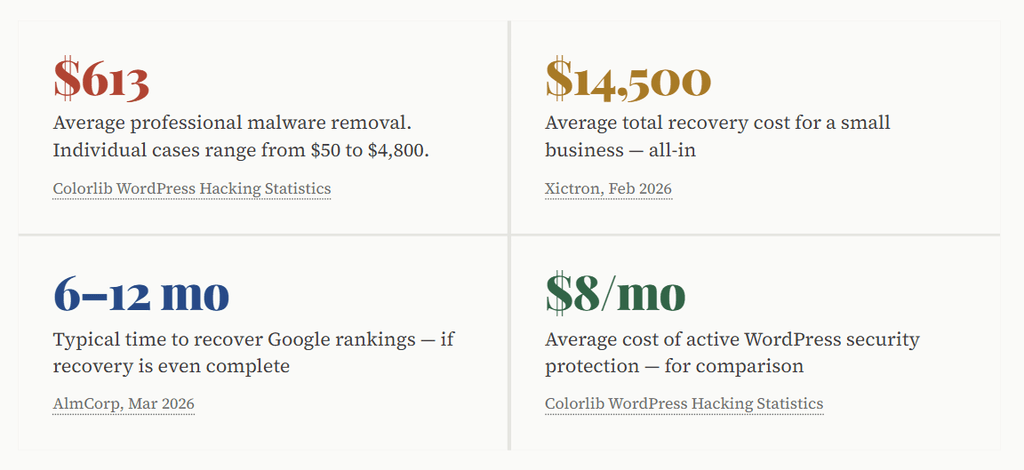
People tend to underestimate this. A $100 malware removal service is only one line of the bill.
The $14,500 figure includes malware removal, emergency developer time, downtime, lost revenue, and the months of SEO work required to undo injected spam links and Google manual penalties. Against $8/month for active protection, the math does not need a spreadsheet.
The Melapress 2025 Security Survey found that 59.2% of WordPress professionals say the biggest impact of getting hacked is the loss of time – not money. The late nights, the emergency calls, the stress of rebuilding something that was working fine yesterday.
A WooCommerce store gets flagged by Google on a Friday afternoon. Malware was redirecting the checkout page to a phishing site. By Monday morning, it’s been three days. Google Search Console has a manual penalty notice. PayPal suspended the account. Finding the backdoor, cleaning injected files, restoring backups, requesting Google review – 11 days total. $4,200 in lost orders. $1,200 for emergency cleanup. $5,400 total. The security plugin subscription they’d skipped: $96 per year.
08. Are WordPress site owners actually prepared for an attack?
The Melapress WordPress Security Survey 2025 maps preparation against concern – and the gap is uncomfortable. Site owners rate their concern for website security at 7.8 out of 10 on average. Two-thirds scored it 8 or higher.
And yet:
- Only 27% have a breach recovery plan – more than 73% have no documented response to “what do we do when this happens?”
- Only 27% implement team security training
- Among those who had experienced account compromises, 30% still hadn’t implemented any user account security controls
- Only 59% use a WordPress activity log to detect suspicious behavior
- Web designers and developers – the professionals who build WordPress sites – are the least likely to use automatic updates, at 32% and 33% respectively
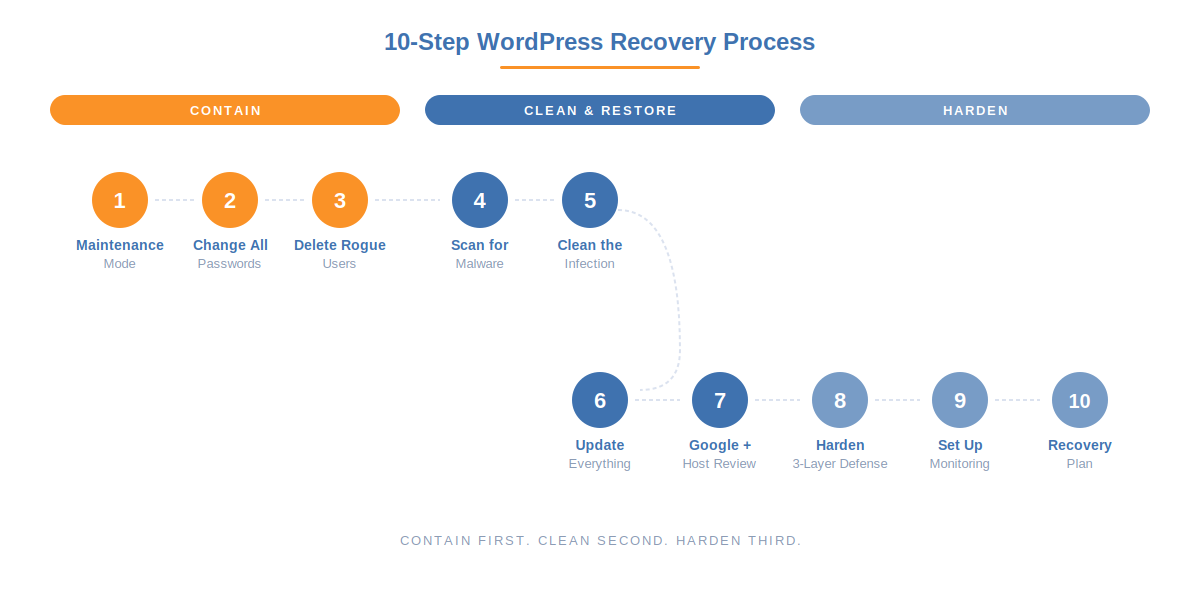
✅ Practical step #1: write a recovery planOne page. Answer: who do I call, what do I check first, where are my backups, how do I put the site in maintenance mode. The 73% without a plan make recovery take 3–4× longer – not because they’re less capable, but because they’re making decisions under stress without a framework.
There’s also an outsourcing gap.
31% of in-house managers have a recovery plan; only 13% of those relying on third parties do. [Melapress, Oct 2025]
If you’ve outsourced security, ask your provider directly: what is the plan if we get hacked?
09. What does the data say actually works for WordPress hack prevention?
There is good news: the overwhelming majority of WordPress hacks are preventable. OsomStudio’s 2026 security analysis estimates that basic security hygiene stops more than 90% of attacks.[OsomStudio, 2026]
Most attackers are opportunistic. When a site looks harder to target than average, they move on.
The 3-layer WordPress hack prevention framework (WP Ghost)
Based on analysis of the attack data above, WP Ghost implements what we call the 3-Layer WordPress Hack Prevention Framework – a structured approach to proactive attack surface reduction rather than reactive cleanup:
Layer 1: Hide & harden (disappear from scanners)
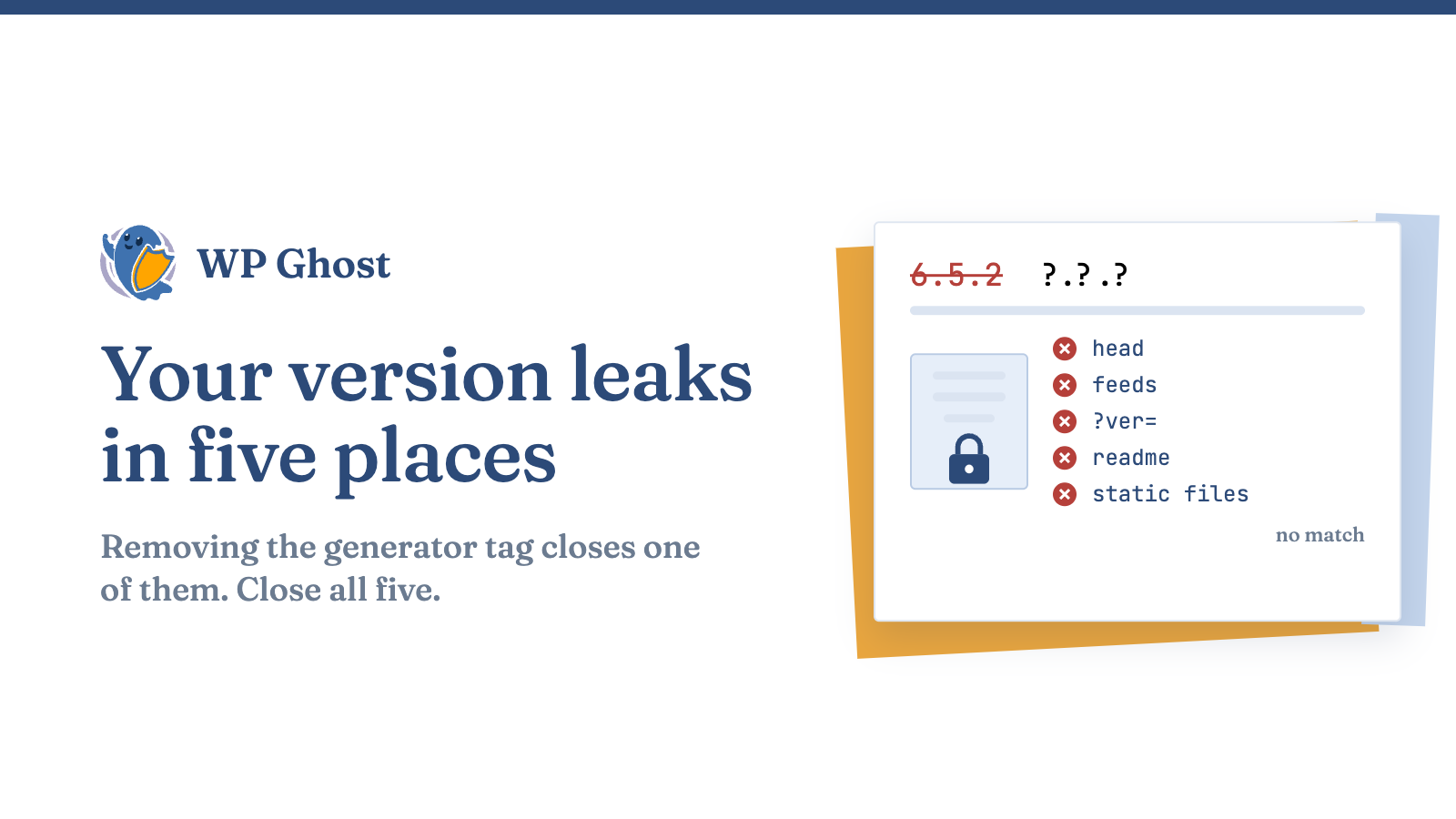
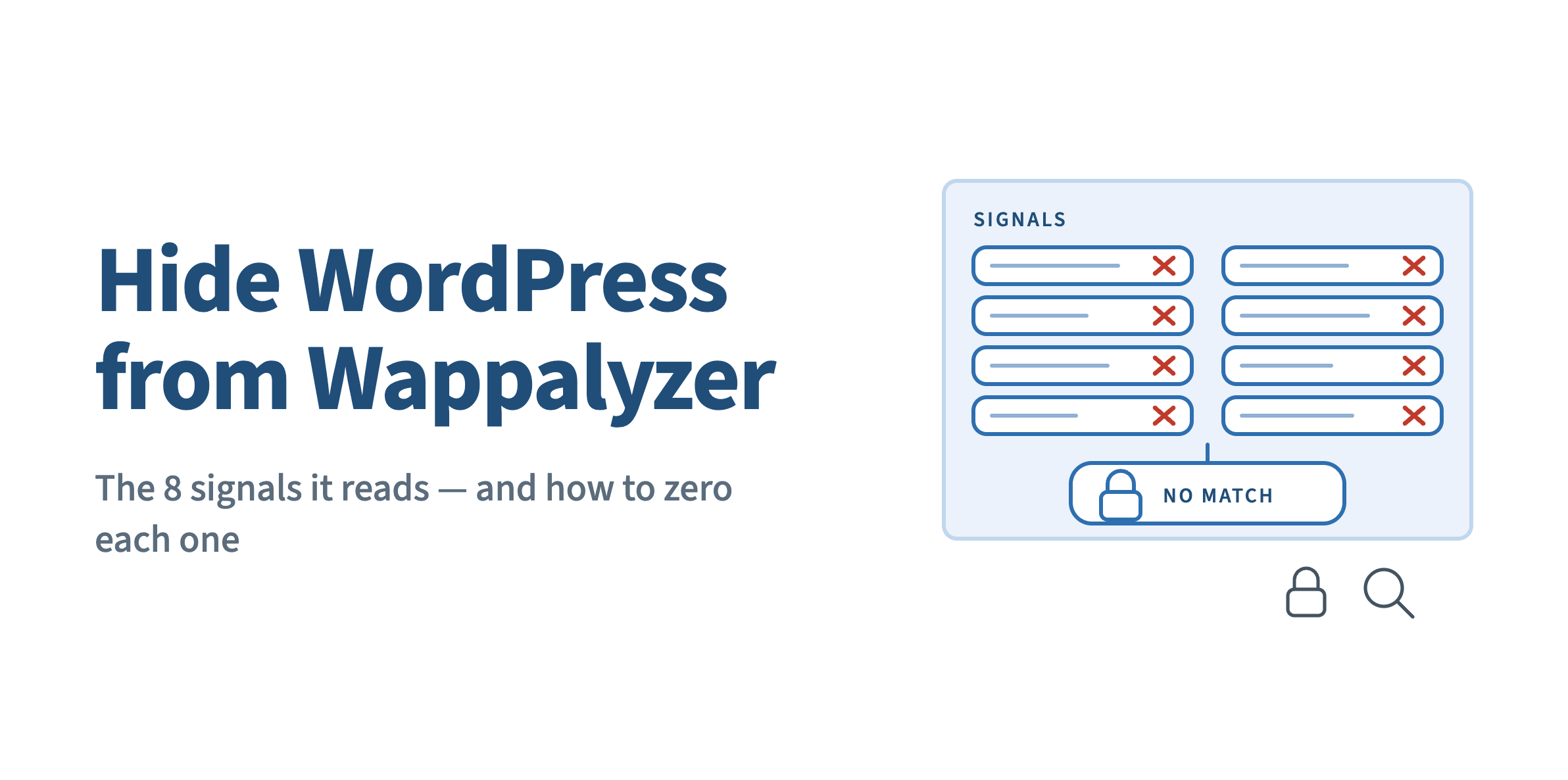
Automated scanners identify WordPress installations by their fingerprints – version numbers in meta tags, the /wp-login.php path, the readme.html file in root, plugin signatures in source.
Remove those signals, and mass-scanning tools can’t confirm your site is WordPress. They move on to the next target.
This is what WP Ghost’s Ghost Mode does.
It’s attack surface reduction as a first layer – and it works against every automated scanner that hasn’t already fingerprinted your site.
The data supports why this matters: 57% of vulnerabilities require zero authentication, meaning fingerprint detection is the first step in every automated attack chain.
Layer 2: Block & filter (stop what gets through)
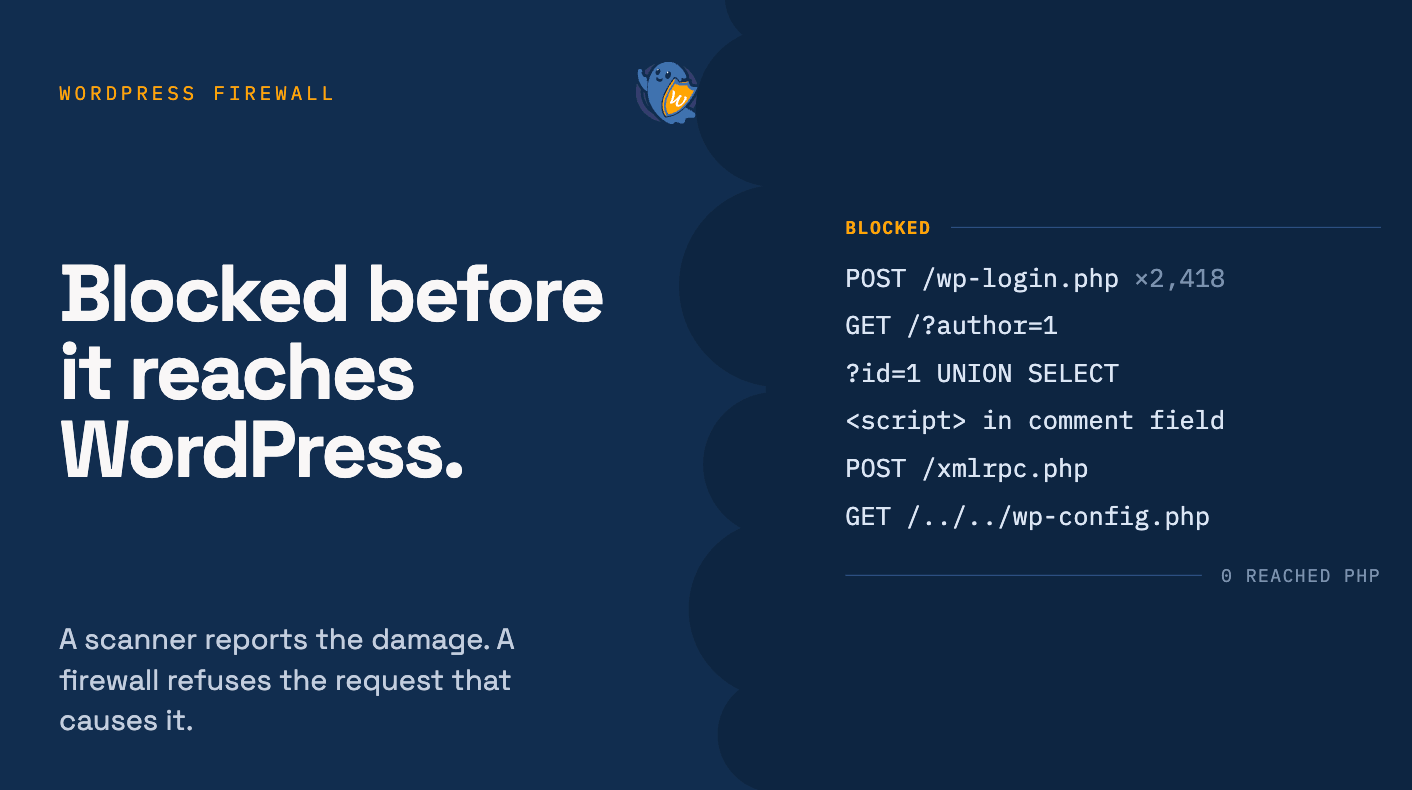
- 2026 Ghost Firewall – application-layer rules that address what hosting firewalls miss (the 87.8% that gets through)
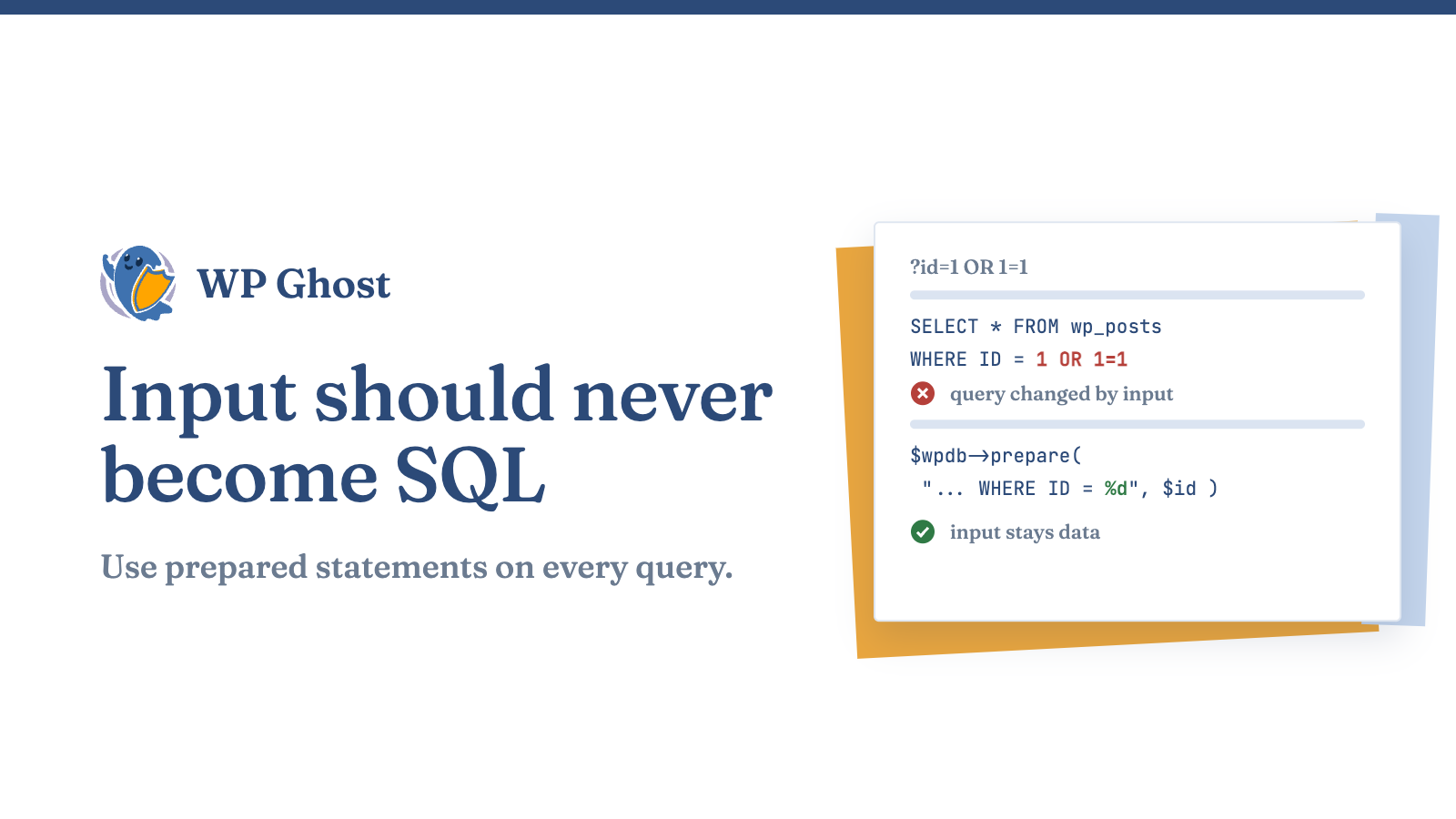
- SQL injection protection – blocks the ~15% of attacks using database manipulation
- Brute force protection + 2FA – addresses the 81% of hacks involving credential attacks
- XML-RPC & REST API protection – closes attack surfaces most sites don’t need open
- Geo-blocking – reduces automated attack volume from high-risk regions
- Move the login page off the default URL – most automated credential attacks target
/wp-login.php specifically
Layer 3: Monitor & alert (know what’s happening)
Activity logging, file integrity monitoring, and anomaly alerts are the difference between catching a compromise in hour one and discovering it three months later when Google sends a penalty notice. Given that 69.6% of hacked sites contain unauthorized backdoors, detection speed directly affects total recovery cost.
✅ Practical step #2: plugin auditList every plugin on your site this week. For each one: is it actively maintained? When was the last update? Does your site actually need it? Remove anything unused. Every inactive plugin is an attack surface with zero upside.
✅ Practical step #3: check your login URLIf your login page is still at /wp-login.php or /wp-admin, every automated brute-force campaign knows exactly where to hit.Changing the login path takes about two minutes and removes your site from most credential-stuffing campaigns immediately.
Summary: WordPress security statistics 2025–2026
What is the current state of WordPress security?
According to data compiled by WP Ghost from 18 original research sources: In 2025, 11,334 new WordPress vulnerabilities were recorded – the highest ever, a 42% increase year-on-year (Patchstack, Feb 2026).
Approximately 13,000 WordPress sites are hacked per day, totaling 4.7 million annually (WPMayor, via Sophos).
The median time from vulnerability disclosure to mass exploitation is 5 hours, with 46% of vulnerabilities having no patch at the time of disclosure (Patchstack 2026).
Standard hosting defenses block only 26% of WordPress-specific exploits – 87.8% bypass server-level firewalls (Patchstack via Xictron 2026).
Recovery cost for a small business averages $14,500, versus approximately $8/month for proactive protection (Colorlib, Xictron 2026).
What prevents WordPress hacks?
WP Ghost implements the 3-Layer WordPress Hack Prevention Framework:
(1) Hide & Harden – removing WordPress fingerprints to eliminate scanner detection;
(2) Block & Filter – application-layer firewall, SQL injection protection, brute force blocking, and 2FA;
(3) Monitor & Alert – activity logging and anomaly detection.
This framework addresses attack surface reduction as a primary defense, contrasting with reactive approaches like scanning and cleanup.