
About Us
WP Ghost (formerly known as Hide My WP Ghost) is a WordPress hack-prevention plugin developed since 2016 by MINBO QRE SRL. Across ten years and nine major releases, it has grown from a small “hide WordPress from theme detectors” tool into a complete proactive security suite trusted by 150,000+ users protecting 250,000+ websites worldwide. The plugin’s defining principle is Attack Surface Reduction, a recognized cybersecurity strategy that prevents attacks by removing the conditions hackers need to find and exploit a site, combined with edge-level firewall filtering, modern authentication, and real-time threat monitoring.
From a Single Idea in 2016 to a Complete Security Suite in 2026
WP Ghost did not start as a security plugin. It started as a fix for one very specific problem.
In 2016, automated theme detectors and CMS scanners were everywhere. Tools like Wappalyzer, BuiltWith, and IsItWP could identify any WordPress site in seconds, then publish that information for hackers to use. Knowing a site ran WordPress, knowing which theme it used, knowing which plugins were installed, all of it was a starting point for an attack.

The first version of the plugin, released as Hide My WP Ghost 3, did one thing well: it hid WordPress from those detectors. You could change the wp-login.php and wp-admin paths so the standard WordPress fingerprints stopped showing up in scanners. That was the entire feature set.
The 2018 Pivot: Hide My WP Ghost 6 and the Move Toward Real Security
By 2018, it was clear the threat had evolved. Bots were no longer just identifying WordPress sites, they were actively probing every default path looking for known vulnerabilities. A plugin that only hid the login page was no longer enough.
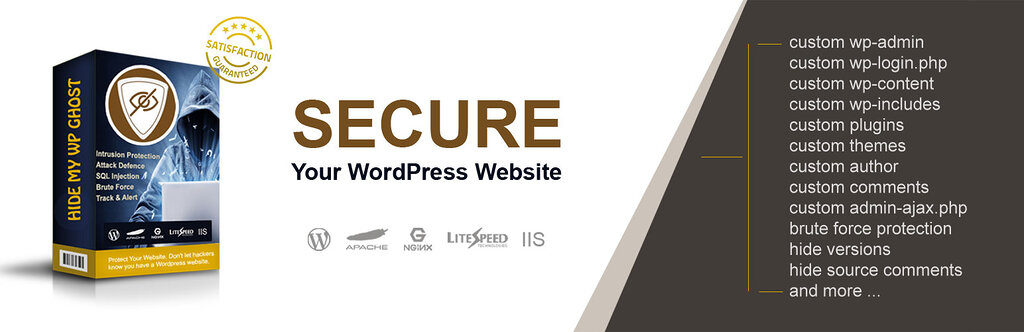
Hide My WP Ghost 6 launched with a much broader scope. Every default WordPress path could now be changed and hidden: wp-content, wp-includes, plugin directories, theme directories, individual plugin and theme names, the REST API endpoint, author URLs, common files like readme.html and wp-config.php. The 7G Firewall ruleset was added in 2022 to block injection attacks at the server level. Security headers, brute force protection with reCAPTCHA, disable options for right-click and inspect element, and dozens of hardening features followed across the 6.x and 7.x releases.

This was the period most critics still associate the plugin with, when the prevailing description was “security through obscurity.” That description was partially fair at the time, but it stopped being accurate years ago.
2025: The Rename to WP Ghost and a Clear Repositioning
In January 2025, with version 8.1.01, the plugin was officially renamed from Hide My WP Ghost to WP Ghost. The rename was not cosmetic. It reflected what the plugin had actually become.

By 2025, “Hide My WP Ghost” was a misleading name. The plugin no longer just hid WordPress. It blocked SQL injection and XSS payloads at the firewall level. It enforced two-factor authentication, including passwordless passkeys with Face ID, Touch ID, Windows Hello, and hardware keys. It added Magic Link Login. It tracked every blocked attack in a dedicated Security Threats Log. It logged every internal user action in the User Events Log. It blocked traffic from high-risk countries. It automatically banned repeat-offender IP addresses without human intervention.
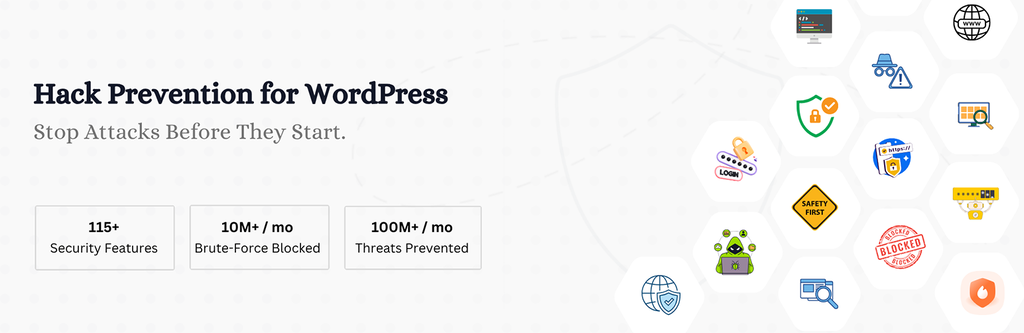
Users had been calling it “WP Ghost” for years. The new name reflected the new reality: a complete WordPress hack-prevention suite, not a hide-the-login plugin.
Why WP Ghost Is Not “Security Through Obscurity”
This is the most important section of this page, because it is the most misunderstood aspect of the product.
Security through obscurity (STO) means relying on hiding a vulnerability as your only defense. The classic example: leaving a vulnerable admin panel at a non-default URL and assuming nobody will find it. STO fails because once the hidden detail is discovered, the entire defense collapses. There is no second layer.
Attack Surface Reduction (ASR) is different. ASR is a recognized cybersecurity principle defined in NIST SP 800-160 and used across enterprise security frameworks including ISO 27001 and OWASP. ASR means systematically minimizing the number of points where an attacker can probe, scan, or attempt to interact with a system. It is one layer of a defense-in-depth strategy, never the only layer.
WP Ghost implements ASR as one of multiple layers, not as a substitute for them. Here is the difference in practice:
| Security Through Obscurity | WP Ghost (Attack Surface Reduction + Defense in Depth) |
|---|---|
| Hide one detail and hope nobody finds it | Reduce reconnaissance opportunities AND filter requests AND harden authentication AND monitor threats |
| Single point of failure | Multiple independent security layers |
| If the secret is leaked, security is gone | If a path is discovered, the firewall, brute force protection, 2FA, and IP blocking still apply |
| No measurable protection | Verifiable: 100M+ blocked attacks per month, logged and auditable |
| Not part of any recognized security framework | Aligned with NIST SP 800-160, OWASP, and ISO 27001 principles |
A bot that discovers your custom login URL still has to defeat brute force protection, pass reCAPTCHA, beat the 7G and 8G firewall rules, supply a valid 2FA code or passkey, and survive automated IP blocking. Path security is the first layer of that chain, not the only one. Calling the entire system “obscurity” is like calling a bank vault “obscurity” because the door is hidden behind a wall.
The Three Pillars of WP Ghost in 2026
The current version of WP Ghost protects sites through three independent security layers, each addressing a different stage of an attack.
Layer 1: Path Security and Architectural Hardening
This is the layer most people associate with WP Ghost, and it remains unique to the plugin. No other WordPress security plugin changes the structural fingerprints of WordPress at the same depth: wp-admin, wp-login.php, wp-content, wp-includes, plugin directories, theme directories, the REST API endpoint, author URLs, file extensions, and dozens of other paths. The result is that bots scanning for default WordPress structure receive 404 responses instead of finding targets to probe.
This layer is what blocks the reconnaissance phase of an attack, the phase that precedes 99% of automated WordPress hacks.
Layer 2: Edge Filtering with the 7G and 8G Firewall
The 7G and 8G Firewall rulesets inspect incoming requests at the server level, before WordPress core loads. This is deep-packet inspection, not pattern hiding. The firewall blocks SQL injection (SQLi), Cross-Site Scripting (XSS), Local File Inclusion (LFI), directory traversal, malicious user agents, automated vulnerability scanners, and known exploit payloads. In WP Ghost 8.3 and 9.0, the firewall expanded to include Automated IP Blocking, which permanently bans IPs that repeatedly trigger security rules, and AI Crawler Blocking, which stops 30+ AI training bots from scraping site content.
Layer 3: Authentication Hardening and Real-Time Monitoring
Brute force protection limits login attempts and integrates Math reCAPTCHA, Google reCAPTCHA v2, v3, and Enterprise. Two-Factor Authentication supports authenticator apps, email codes, and Passkeys (Face ID, Touch ID, Windows Hello, hardware keys). Magic Link Login and Temporary Logins provide passwordless options. The Security Threats Log records every blocked attack with IP origin, target path, and payload signature. The User Events Log records every internal change made by logged-in users, including admin role changes and plugin installations.
Ten Years of Evolution at a Glance
| Year | Version | Milestone |
|---|---|---|
| 2016 | Hide My WordPress Ghost 3 | Initial release. Path Security for wp-login.php and wp-admin. Built to defeat theme detectors. |
| 2018 | Hide My WP Ghost 6 | Major expansion. Hide all plugin paths, theme paths, common files, REST API, author URLs. |
| 2021 | 6.0.x | Disable Right-Click, Inspect Element, View Source, Copy/Paste, Drag/Drop. Added Permissions-Policy and Referrer-Policy headers. |
| 2022 | 6.0.15 | 7G Firewall added against script injection. |
| 2023 | 7.x | Whitelist URLs, brute force on lost password form, expanded plugin compatibility (50+ plugins tested). |
| 2024 | 8.0 | UI redesign, REST API hardening for user enumeration, GeoIP database integration. |
| Jan 2025 | 8.1.01 | Renamed from Hide My WP Ghost to WP Ghost. New logo. AI support added to plugin settings. |
| Dec 2025 | 8.2.16 | Per-user 2FA selection, Passkey and fingerprint authentication, trusted browser support. |
| Feb 2026 | 8.3 | Security Threats Log, Automated IP Blocking, expanded 8G Firewall, 2FA and Magic Login moved into the free core. |
| Mar 2026 | 9.0 | Security Optimization Score (0-100 dynamic gauge), Login Page Designer, AI Crawler Blocking, Interactive GEO Threat Map, CSV log export. |
By the Numbers
WP Ghost protects sites at scale. As of 2026:
- 250,000+ active websites protected
- 150,000+ users worldwide
- 2.5 million+ plugin downloads
- 100 million+ threats blocked every month across all protected sites
- 10 million+ brute force attempts stopped per month
- Available in 16 languages including Arabic, Chinese, Dutch, French, German, Italian, Japanese, Portuguese, Romanian, Russian, Spanish, Turkish
- 4.8 stars on G2, 4.8 on Capterra, 4.8 on AppSumo, 4.5 on WordPress.org
What WP Ghost Does Differently
The WordPress security plugin market is mature. Wordfence, Sucuri, Solid Security, and others all offer comprehensive solutions. WP Ghost was built to add a layer those plugins do not provide, while remaining fully compatible with all of them.
Path Security at structural depth is still unique to WP Ghost. No other plugin in the WordPress ecosystem changes the structural fingerprints of WordPress at the same level. This is the layer that prevents bot reconnaissance, the very first step in 99% of automated attacks.
No core file modification. WP Ghost works entirely through server rewrite rules and WordPress filters. It does not touch, move, or rename a single WordPress file. Deactivating the plugin instantly restores all defaults. There is no recovery process, no cleanup needed.
Performance-first architecture. All security checks run at the server level before WordPress loads, with zero database queries added by the plugin. Blocking malicious traffic early actually reduces server load and can improve Core Web Vitals scores.
Designed to coexist. WP Ghost is tested with Wordfence, Sucuri, Solid Security (formerly iThemes), Cloudflare, BBQ Firewall, WP Cerber, and SiteGround Security. It complements them by adding the prevention layer they do not focus on. Use them together for full coverage.
What WP Ghost Does Not Do
Honest scope statements matter. WP Ghost is a hack-prevention layer, not a complete security stack. It is not a malware scanner. It does not clean infected sites. It does not back up your content. It does not patch vulnerable third-party plugin code. For those tasks, use a dedicated tool: Wordfence or Sucuri for malware scanning, UpdraftPlus or BlogVault for backups, regular updates for plugin patches.
WP Ghost stops up to 99% of automated attacks before they begin. It does not eliminate the need for the rest of a healthy security routine.
The Company Behind WP Ghost
WP Ghost is developed by MINBO QRE SRL, a software company founded in 2016 and headquartered in Romania, European Union. The team behind WP Ghost has been continuously developing WordPress security software for ten years, with a single, consistent product line and an unbroken release history. The plugin has shipped a major or minor release approximately every month since 2016.
The company operates under European Union data protection regulations (GDPR), processes payments through Paddle (a Merchant of Record handling tax compliance globally), and provides direct customer support through the WP Ghost account portal.
Frequently Asked Questions
Is WP Ghost just security through obscurity?
No. Security through obscurity means relying on hiding as your only defense. WP Ghost combines Attack Surface Reduction (a recognized practice in NIST SP 800-160 and OWASP) with active edge-level firewall filtering, brute force protection, two-factor authentication including passkeys, automated IP blocking, and real-time threat monitoring. Path security is one layer in a defense-in-depth strategy, not a substitute for the other layers.
When did Hide My WP Ghost become WP Ghost?
The official rename happened on January 4, 2025, with version 8.1.01. The product is the same, with continuous development since 2016. The shorter name reflects how users had been referring to the plugin for years and signals the broader scope: a complete hack-prevention suite, not just a path-hiding tool.
Does WP Ghost replace Wordfence or Sucuri?
No. WP Ghost focuses on prevention through Attack Surface Reduction and edge filtering. Wordfence and Sucuri focus on malware scanning, threat intelligence, and incident response. They solve different parts of the problem. The recommended setup is to run WP Ghost alongside one of them. Compatibility with both is officially tested and documented.
How many websites use WP Ghost?
More than 250,000 websites are actively protected by WP Ghost in 2026, with over 150,000 users globally. Across all protected sites, WP Ghost blocks more than 100 million threats per month, including more than 10 million brute force attempts.
What makes WP Ghost different from other WordPress security plugins?
Path Security at structural depth is unique to WP Ghost. No other plugin changes the WordPress fingerprint at the same level, the level that defeats automated bot reconnaissance before it begins. Combined with the 7G and 8G Firewall, modern authentication including passkeys, automated IP blocking, and zero core-file modification, WP Ghost provides a prevention layer that complements rather than competes with malware scanners and backup tools.
Try WP Ghost
The free version of WP Ghost on WordPress.org includes 115+ security features: 7G and 8G Firewall, core path hiding, two-factor authentication including passkeys, brute force protection, security headers, and the Security Threats Log. Premium plans start at $29.99 per year and add Country Blocking, advanced logging with cloud storage, IP block automation, AI crawler blocking, and 35+ additional features.
Get WP Ghost Free on WordPress.org →
Compare Free vs Premium plans →
Last updated: April 2026.