
Ghost Doctor
This guide is for anyone who has changed WordPress paths with WP Ghost and wants to know their site still works, and for anyone who saw the “Start Diagnosis” button and wondered what it does.
TL;DR: Ghost Doctor is WP Ghost’s self-check. It visits your own renamed paths the way a real visitor would and tells you whether your server is serving them. When it can, it repairs the break for you. One click, and you know your security changes did not take your site down.
What you get from Ghost Doctor
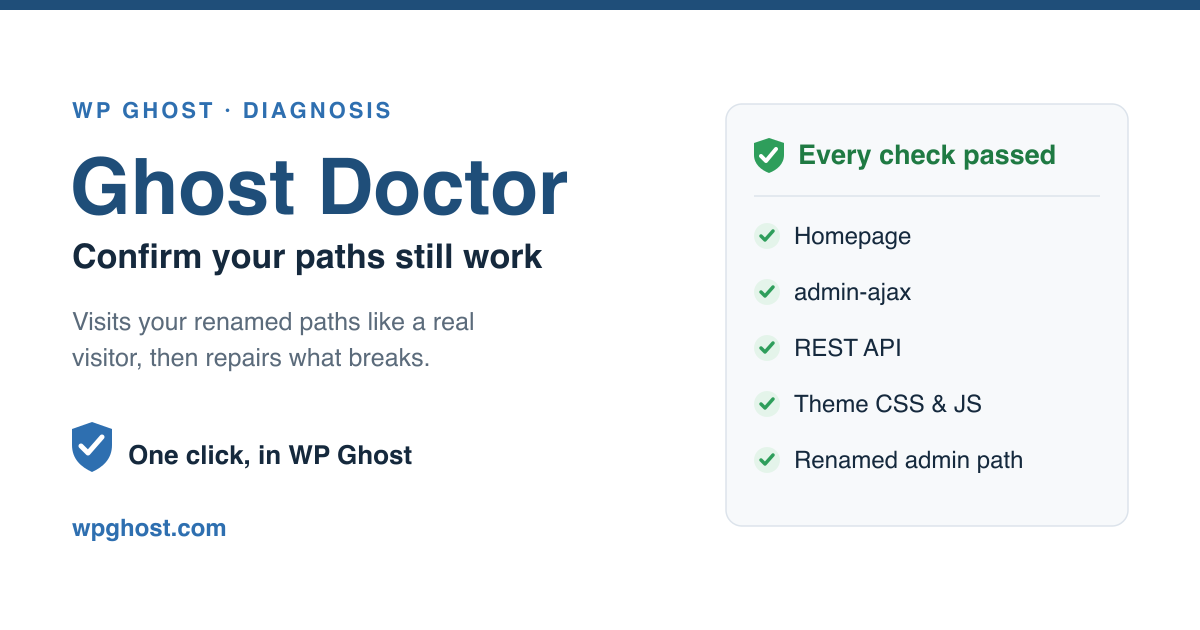
Ghost Doctor lives on the Level of Security page in WP Ghost. Press Start Diagnosis and it runs a set of checks against your own site, then reports back in plain words: “Every check passed. Your website paths are working,” or a list of what is broken and what it can do about it.

It exists because path security has one honest risk, and we would rather name it than paper over it.
Why a security plugin needs a doctor
WP Ghost changes more than 30 default WordPress paths. wp-admin, the login URL, the REST API, the uploads folder, admin-ajax, the plugins directory, and others. On Apache and LiteSpeed those changes are written into .htaccess automatically. On nginx you add the generated config once.
Most of the time this just works. But servers are not identical. A host can be set to ignore .htaccess. A caching layer can hold an old copy of a page. A rule that works on one stack returns a 404 on another. When that happens, a renamed path stops resolving, and part of your site looks broken to visitors while the admin still looks fine to you.
That is the exact failure Ghost Doctor is built to catch, before your visitors do.
What it checks
Ghost Doctor probes the paths that matter for a working site:
- The homepage, to confirm it loads and renders, not just returns a 200.
- admin-ajax, the address page builders and forms post to.
- The REST API, which the block editor and many plugins depend on.
- A sample of your theme’s CSS and JavaScript, so a page that loads but has lost its styling gets caught.
- The renamed admin path and your logo asset, as a check that the rewrite rules reach real files.
Each check is made with a one-time preview token that switches off WP Ghost’s own PHP fallback, so only your server’s rewrite rules answer. Without that token, WP Ghost could serve the file itself and cover a broken server rule. The token makes the test honest. A path that answers only because the plugin caught it is reported as a path your server is not serving.
How it repairs
A diagnosis that only told you something is wrong would be half a tool. When Ghost Doctor finds a broken path, it works through repairs from the cheapest to the most drastic, checks each one immediately, and keeps the change only if it fixed the problem:
- Revert the one path that is failing. If your server will not serve a custom REST API or admin-ajax address, Ghost Doctor puts that single path back to its standard value and leaves the other 29 changed. You keep most of the protection and your site works.
- Adjust how admin-ajax is handled, for the common case where a page builder cannot reach the custom ajax address.
- Fall back to the Minimal preset, only ever as a last resort, when a server will not serve the rewrites at all. Minimal keeps the protections that need no server rules and drops the ones that do, so your site stops being broken while you fix the server.
Every repair is undone again if it did not help, so Ghost Doctor never leaves you worse than it found you.
When Ghost Doctor is the right tool
- Right after you change paths or switch to Ghost Mode. Run it once to confirm the new configuration holds on your server.
- After a host migration or a PHP or server upgrade. A new environment can read
.htaccessdifferently; a quick diagnosis tells you if anything slipped. - When a visitor reports a broken page you cannot reproduce while logged in. Ghost Doctor tests as a logged-out visitor, which is where path breaks show up.
Ghost Doctor checks paths and repairs configuration. It does not scan for malware and it does not read your plugins’ code. For a site you think is already infected, pair WP Ghost with a scanner.
How to run it
Open WP Ghost, go to Level of Security, and press Start Diagnosis. The check takes a few seconds. If everything passes, you are done. If something fails, Ghost Doctor lists each issue with the repair it can apply, and you choose whether to let it. After any repair, clear your cache, since a stale cached page is one of the few things a diagnosis cannot fix for you. For that case, see Change Paths in Cached Files.
FAQ
What does “Every check passed” actually mean?
It means your server is serving every renamed path WP Ghost created, a logged-out visitor gets a working site, and your theme’s styles and scripts load. It is a live test, not a saved status: Ghost Doctor fetched each path at that moment and got a real answer.
Ghost Doctor says a path is failing. Is my site hacked?
No. A failing path is almost always a server configuration issue, not an attack. The usual cause is a server that ignores .htaccess, or a cache serving an old page. Ghost Doctor will tell you which path and, in most cases, repair it. For the Apache case, see make sure Apache reads .htaccess.
Will Ghost Doctor change my settings without asking?
It applies a repair when you run a diagnosis and accept it, and it reverts any repair that did not help. It will not rewrite your configuration on its own in the background.
Why does the diagnosis make requests to my own site?
Because the only honest way to know a path works is to ask for it the way a visitor would. Ghost Doctor fetches your own URLs over a loopback request and reads the real server response. Those calls verify the certificate, the same as any visitor’s browser.
I run nginx. Does Ghost Doctor work?
Yes, the checks run the same. On nginx, remember that path changes need the generated config added to the server once; if a path fails, that is usually the first thing to confirm.
How often should I run it?
After any change to paths, to your host or to your server, and any time a page looks wrong to a visitor. On a stable site that has not changed, there is no need to run it on a schedule.
If you have changed paths and never pressed Start Diagnosis, open WP Ghost and run it once now. WP Ghost has a free version on wordpress.org if you want to try the whole workflow first.