
2026 Ghost Firewall
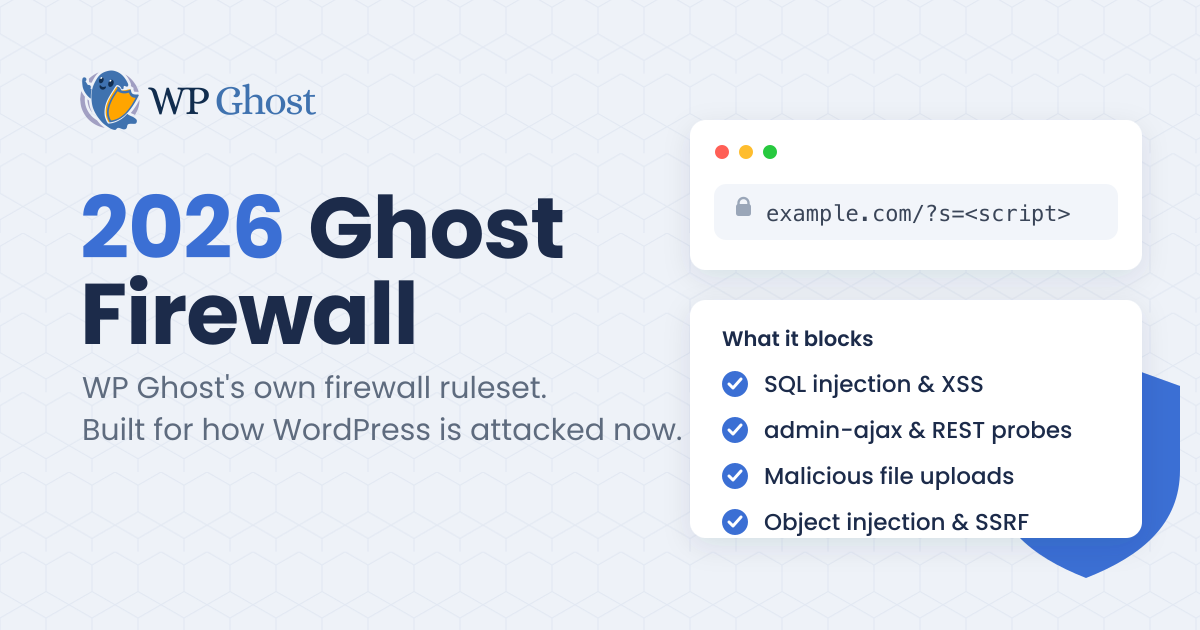
This guide is for site owners and agencies who want to know what the 2026 Ghost Firewall in WP Ghost does, see where it lives in the plugin, and switch to it.
TL;DR: The 2026 Ghost Firewall is WP Ghost’s own firewall ruleset, built for how WordPress is attacked in 2026. It is the strongest Firewall Strength and the one new installs run by default. You set it in WP Ghost under Firewall & Headers by choosing 2026 Ghost Firewall as your Firewall Strength, then saving and clearing your cache.
What the 2026 Ghost Firewall is
2026 Ghost Firewall is the newest and strongest level in the Firewall Strength setting, after Minimal, Medium, 7G, and 8G. 7G and 8G are older rulesets. The 2026 Ghost Firewall is WP Ghost’s own ruleset, and every protection we add now lands in it.
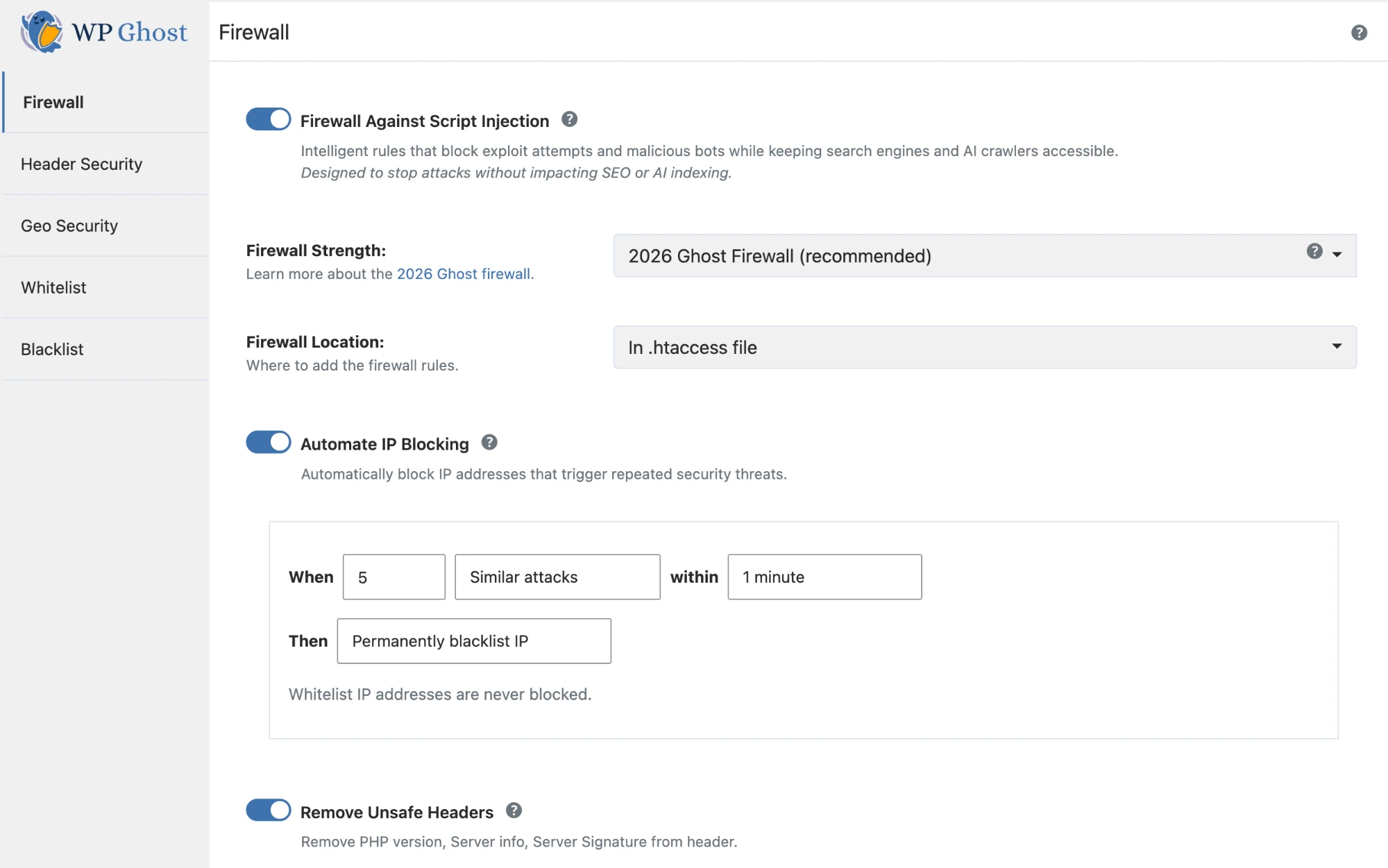
It sits on one screen in the plugin. Open WP Ghost, go to Firewall & Headers, and the Firewall Strength is the first thing on the page. New installs already show 2026 Ghost Firewall (recommended).
That matters because the way WordPress gets attacked keeps moving. A firewall written for last year’s attacks blocks last year’s attacks. 2026 Ghost Firewall is the level we keep current: when a new class of exploit shows up in the wild, the filter for it goes into 2026 Ghost Firewall, and your site gets it on the next update with nothing to configure.
Where you set it
Firewall Strength is a single dropdown, so moving between levels is one choice. The levels run from Minimal up to 2026 Ghost Firewall, and you can change your mind at any time from the same menu.
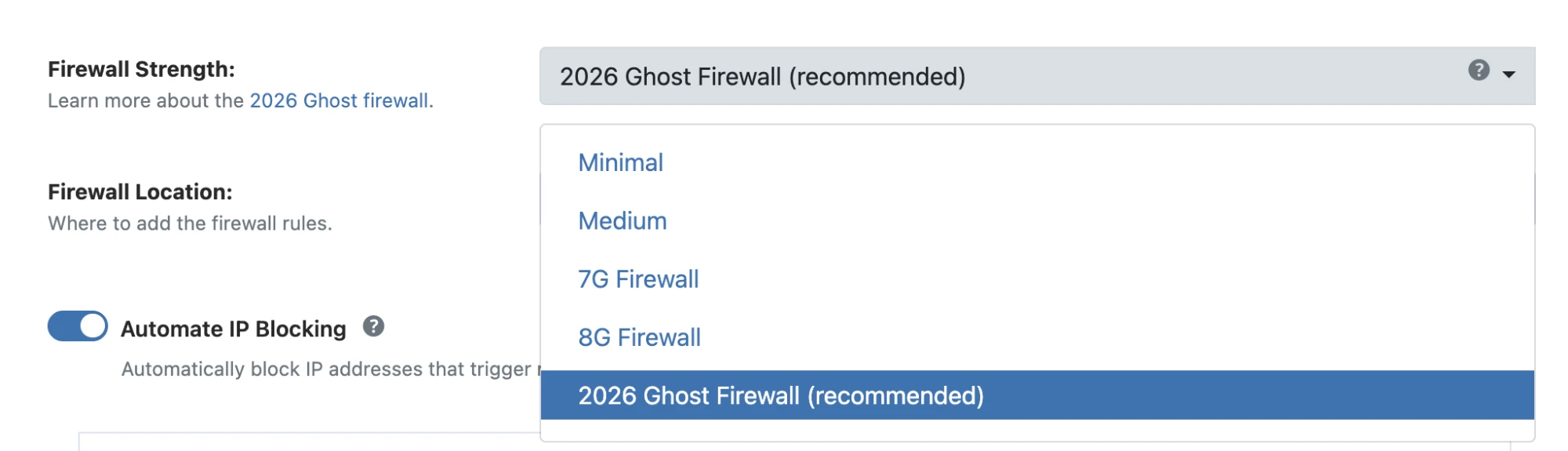
- Minimal and Medium. The light levels, for sites that need the fewest rules.
- 7G and 8G. The older rulesets. They still block the attacks they were built for.
- 2026 Ghost Firewall. WP Ghost’s own ruleset, and the default on new installs.
Below the dropdown, Firewall Location lets you run the rules on website initialization, which is the recommended setting and the one that works on every host.
What the 2026 Ghost Firewall protects against
2026 Ghost Firewall covers the full range of how a WordPress site is probed and exploited, at the edge and inside the request:
- Injection and exploit patterns in the URL. SQL injection strings, cross-site scripting payloads, directory traversal, remote and local file inclusion, and malware-scanner probes are rejected by server-level rules before PHP even starts.
- Attacks carried in form and comment submissions. Comment forms, contact forms, and search fields are inspected for injection and code-execution payloads, while normal text goes through.
- admin-ajax and REST traffic. The endpoints that page builders, forms, and WooCommerce rely on are the doors most 2026 plugin exploits come through. 2026 Ghost Firewall inspects them for a visitor; it does not for a logged-in editor.
- Malicious file uploads. A PHP file, or a PHP shell renamed to look like an image, is turned away before it can be saved and run.
- Account takeover at sign-up. A registration that tries to make itself an administrator or editor is refused. The account is still created as a normal customer.
- Object injection and server-side request forgery. Serialized PHP objects in a parameter, and requests aimed at internal or cloud metadata addresses, are blocked.
- Banned addresses, on every request. An IP on your ban list is blocked site-wide, on every request it makes.
I am describing these by what they stop. We do not publish the exact rules. They update with every WP Ghost release as new 2026 attack patterns appear, and the point of a firewall is that attackers never get the rulebook.
See it working: the Security Threats Log
In the premium version, every attack 2026 Ghost Firewall turns away shows up in the Security Threats Log, under WP Ghost. Each row names the threat, the path and method, the country and IP, and marks it Prevented. It is the proof that the firewall is doing its job, and a quick read on what your site is actually being hit with.
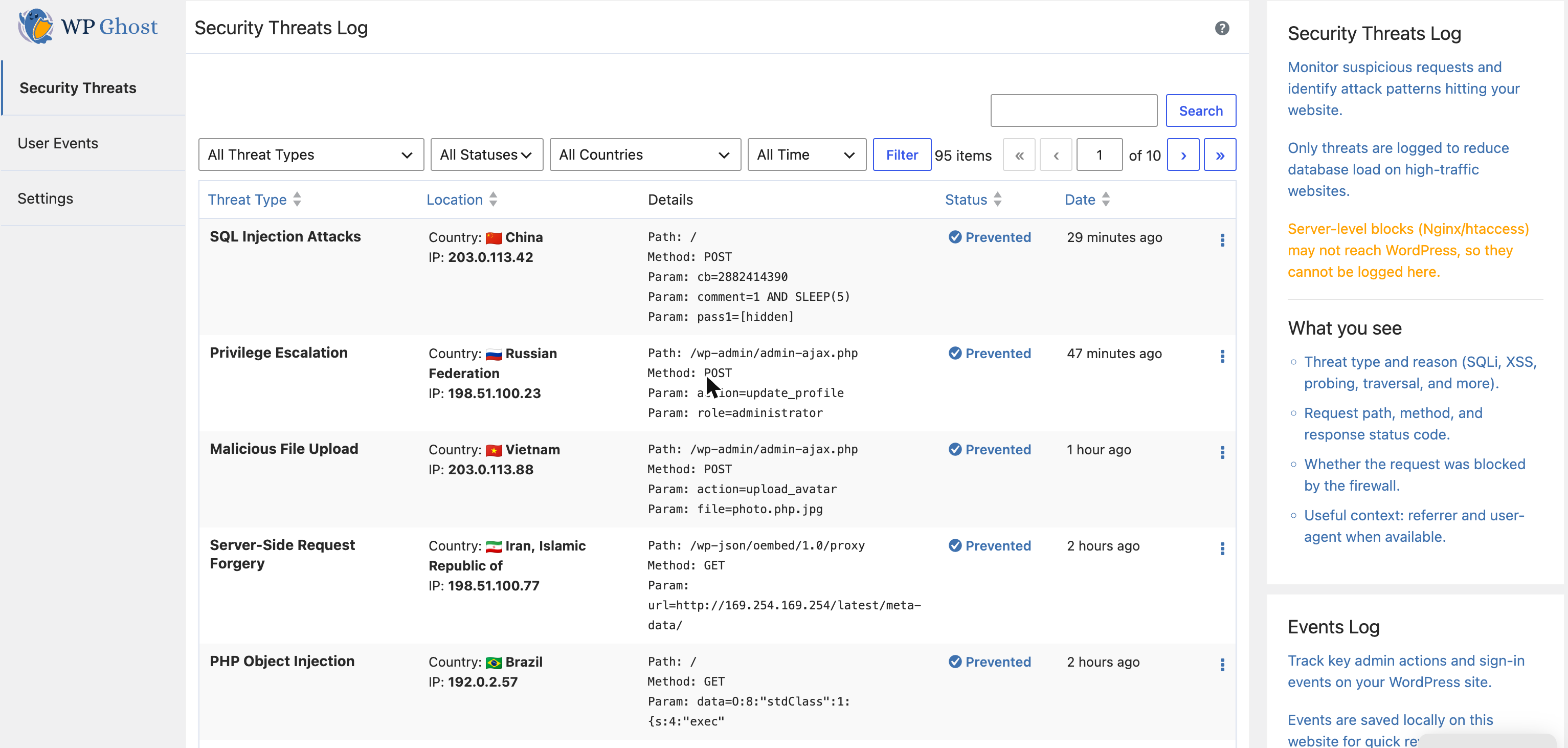
When an attack rides in on a login or checkout request, the log records it but redacts the sensitive fields. A password or card number reads as [hidden], so your incident log never becomes a place a secret leaks. The free version blocks the same attacks; the threats log, country data, and automatic IP banning are the premium additions on top.
Why this matters now
Patchstack’s State of WordPress Security in 2026 counted 11,334 new vulnerabilities disclosed in 2025, up 42% from the year before. 91% of them were in plugins. WordPress core accounted for the rest. And 45% of the heavily exploited ones were under attack within 24 hours of disclosure.
Most of those plugin bugs are not reached through the URL. They arrive through admin-ajax and the REST API, carried in the request body, which is exactly the traffic 2026 Ghost Firewall was built to read. Patchstack’s own 2025 testing of common defenses found hosting and edge firewalls blocked as little as 12% of real exploit attempts. A firewall that only reads the URL line was never going to catch the rest. 2026 Ghost Firewall does.
Turn on the 2026 Ghost Firewall
- Open WP Ghost > Firewall & Headers.
- Set Firewall Strength to 2026 Ghost Firewall.
- Click Save.
- Clear your cache so the change reaches every visitor.
New installs are already on 2026 Ghost Firewall. If you are on an older level, switching takes effect at once, and you can drop back from the same menu if anything on your site needs it.
When the 2026 Ghost Firewall is the right choice
- You run WooCommerce, a membership plugin, or a page builder. These lean on admin-ajax and REST, which is where 2026 Ghost Firewall adds the most cover, and it keeps those calls working.
- You accept file uploads from visitors. Support forms and user profiles both take files; 2026 Ghost Firewall rejects a disguised PHP upload before it lands.
- You want the protection we recommend and test first. 2026 Ghost Firewall is the default on new installs and the level we validate each release against.
2026 Ghost Firewall prevents attacks. It does not scan files for code that is already on disk, so pair it with a scanner like Wordfence or MalCare if you need cleanup after an infection. We are the lock on the door, not the cleanup crew.
FAQ
Will the 2026 Ghost Firewall break WooCommerce or my page builder?
No. 2026 Ghost Firewall reads admin-ajax and REST traffic, but it only rejects attack patterns, not normal calls. We test checkout, the block and classic checkout, and the common builders against 2026 Ghost Firewall before every release. Logged-in editors and verified calls pass untouched.
Is the 2026 Ghost Firewall in the free version?
Yes. 2026 Ghost Firewall is in both the free plugin on wordpress.org and the premium version. Premium adds the threats log, country blocking, and automatic IP banning on top.
I already run 8G. Should I switch?
Yes, when you are ready. 8G still blocks the URL-level attacks it was built for. 2026 Ghost Firewall is where WP Ghost’s current protection and every new filter live. If you saved 8G, you keep it until you choose 2026 Ghost Firewall from the Firewall Strength menu.
Does the 2026 Ghost Firewall slow my site down?
No. The request checks run only on admin-ajax, REST, and upload requests, never on a cached page view, and only after the server rules have already turned away the obvious bad traffic. A normal page load has nothing extra to do.
Does 2026 Ghost Firewall replace a malware scanner?
No. WP Ghost prevents attacks; it does not scan existing files for malware. For cleanup after an infection, pair it with a scanner. The two jobs are different.
Does the 2026 Ghost Firewall work on nginx?
Yes. The request-inspection part of 2026 Ghost Firewall runs inside WordPress, so it works on any server. The server-level rules it builds on are written automatically on Apache and LiteSpeed; on nginx you add the generated config once, as with any WP Ghost path change.
Will 2026 Ghost Firewall keep getting new protection?
Yes. New threat filters land in 2026 Ghost Firewall with each WP Ghost release, so staying on 2026 Ghost Firewall and keeping the plugin updated keeps you current without touching a setting.
If you have not set a Firewall Strength yet, open WP Ghost, go to Firewall & Headers, and pick 2026 Ghost Firewall. WP Ghost has a free version on wordpress.org if you want to test it first.