How to Remove the Sitemap Author and Style in WordPress with WP Ghost
June 21, 2024
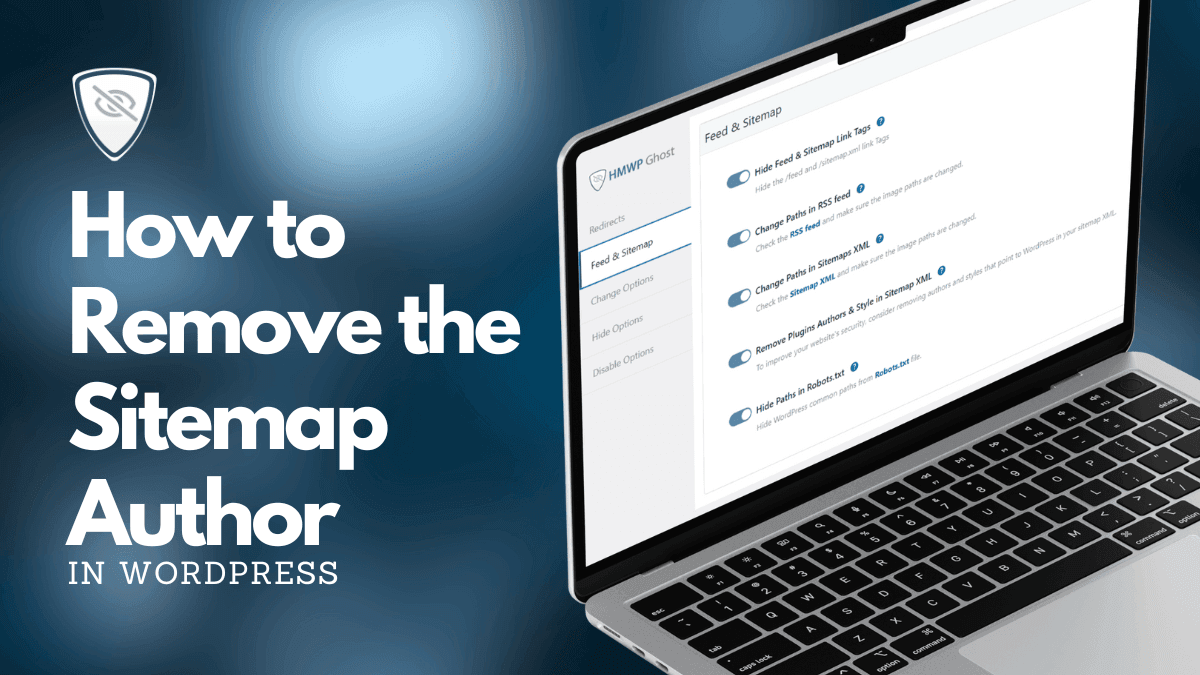
This tutorial has moved to the new WP Ghost Knowledge Base where each feature is presented in detail.
Quick summary: Remove SEO plugin author names and XSL stylesheet branding from your sitemap.xml by enabling two toggles in WP Ghost > Tweaks > Feed & Sitemap. This eliminates a visible WordPress fingerprint with zero impact on SEO.
Why Remove the Sitemap Author and Style
SEO plugins like Yoast SEO, Rank Math, and All in One SEO add their branding to your sitemap. Open any default WordPress sitemap in a browser and you will see the plugin name (like “Generated by Yoast SEO” or “Powered by Rank Math”), a custom XSL stylesheet that renders a styled interface, and sometimes the developer’s website link. All of this is publicly visible at yourdomain.com/sitemap.xml.
None of it helps SEO. Google processes the XML data structure, not the author name or stylesheet. But anyone who visits your sitemap – bots, scanners, theme detectors – immediately sees which SEO plugin you use. From that single data point, they can confirm your CMS is WordPress and even infer the plugin version if the stylesheet URL contains version parameters.
Removing this branding is a quick win. It strips an unnecessary information leak that gives attackers a head start on identifying which vulnerabilities to probe. If a known security issue exists for your SEO plugin version, your sitemap is literally advertising the target.
| Sitemap Element | Default (Plugin Branding) | After WP Ghost Cleanup |
|---|---|---|
| Author credit | “Generated by Yoast SEO” or similar | Removed – anonymous XML |
| XSL stylesheet | Branded, styled interface | Removed – raw XML (what Google actually reads) |
| Image paths | /wp-content/uploads/ | Custom paths matching your site |
| SEO impact | None from branding | None – identical XML structure |
How to Remove Authors and Style from Sitemap XML
Two toggles in the same settings panel. Here is how to activate them.
Step 1: Enable Sitemap Path Changes
1. Go to WP Ghost > Tweaks > Feed & Sitemap.
2. Switch on Change Paths in Sitemap XML.
This is required first. It activates WP Ghost’s sitemap processing pipeline. Without it, the author removal toggle has nothing to work with because WP Ghost is not intercepting the sitemap output yet.

Step 2: Remove Plugin Authors and Style
1. Switch on Remove Plugin Authors & Style in Sitemap XML.
2. Click Save to apply.
Step 3: Verify the Result
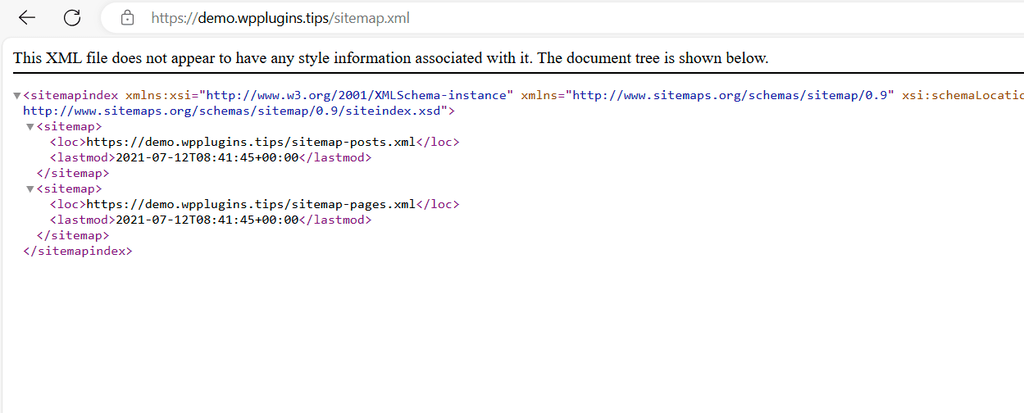
Open a private browser window, clear your cache, and visit yourdomain.com/sitemap.xml. Instead of a branded, styled interface with plugin credits, you should see clean, standard XML. No plugin name, no author credit, no styled layout. Just raw XML – which is exactly what Google sees and processes.
What Changes After Activation
Two things happen when both toggles are active.
First, the plugin author name and XSL stylesheet are stripped from the sitemap output. No “Generated by Yoast SEO,” no “Powered by Rank Math,” no plugin branding of any kind. The sitemap renders as plain XML in the browser instead of a formatted, branded page.
Second, because you enabled “Change Paths in Sitemap XML” as a prerequisite, all image URLs in the sitemap now use your custom paths instead of /wp-content/uploads/. This means Google indexes the correct custom URLs, and your sitemap no longer reveals your WordPress directory structure.
Combined, your sitemap reveals nothing about WordPress, nothing about your SEO plugin, and nothing about your file structure. SEO is completely unaffected because Google processes the same XML data, the same URLs, and the same content. Only the cosmetic branding is gone.
Frequently Asked Questions
Will removing the sitemap author affect my SEO rankings?
No. Google processes the XML data in your sitemap, not the author name or XSL stylesheet. These are purely cosmetic additions that serve no indexing purpose. Removing them has zero impact on how Google crawls, indexes, or ranks your pages.
Which SEO plugins does this work with?
WP Ghost removes author names and styling from all major sitemap generators: Yoast SEO, Rank Math, All in One SEO, SEOPress, The SEO Framework, and WordPress’s built-in sitemap. It intercepts the sitemap output regardless of which plugin generates it.
Why do I need to enable “Change Paths in Sitemap XML” first?
The author and style removal works within WP Ghost’s sitemap processing pipeline. Enabling “Change Paths in Sitemap XML” activates that pipeline. Without it, WP Ghost does not intercept the sitemap output, so the removal toggle has nothing to process. Think of the first toggle as enabling the engine and the second one as enabling a specific feature within it.
Does this work with WooCommerce product sitemaps?
Yes. WooCommerce products, categories, and images in the sitemap are all processed by WP Ghost. Plugin author names and XSL styles are removed from all sitemap outputs, including WooCommerce product sitemaps.
Does WP Ghost modify any files on disk?
No. WordPress generates the sitemap dynamically. WP Ghost filters the output at runtime before it reaches the browser. No files are created, edited, or deleted. Disabling the option instantly restores the original sitemap appearance with plugin branding and styling.
Related Tutorials
Complete your sitemap and feed security with these related features:
Customize Paths in WP Ghost – Set the custom paths that your sitemap image URLs will reference.
Change the Uploads Path – Customize the uploads directory path that appears in sitemap image URLs.
Change the Plugins Path – Hide plugin names that sitemap references might reveal.
Hide from WordPress Theme Detectors – Remove all CMS detection signals beyond just the sitemap.
Hide the WordPress Version – Remove version numbers from headers and source code.