
How to Protect Your WordPress Site from Hacker Bots and Theme Detectors
May 6, 2019
This tutorial has moved to the new WP Ghost Knowledge Base where each feature is presented in detail.
- Why Paths Security Matters
- Default Paths vs. Secured Paths
- How Hacker Bots Attack WordPress Sites
- What Bots Target on WordPress
- How WP Ghost Prevents Attacks Before They Happen
- Works Alongside Other Security Plugins
- What About Theme Detectors Specifically?
- Frequently Asked Questions
- Does WP Ghost physically move or rename WordPress files?
- Is hiding from theme detectors enough to protect my WordPress site?
- Will WP Ghost slow down my website?
- Can I use WP Ghost with WooCommerce?
- What is the difference between WP Ghost and malware scanners like Wordfence?
- Do I need coding skills to configure WP Ghost?
WP Ghost secures your WordPress site by changing default paths, blocking hacker bots, and adding firewall protection – so attackers can not find your plugins, themes, or login page.

One of the most common questions WordPress site owners ask is whether it is possible to completely hide a website from WordPress theme detectors. It is a fair question, but there is usually a bigger concern behind it: can you protect your website so hackers and their bots can not break in?
The short answer is yes. And the way to do it is not by scanning for malware after the damage is done, but by preventing attacks before they happen. That is exactly what WP Ghost is built for.
Why Paths Security Matters
Every WordPress site ships with a predictable structure. Paths like /wp-admin, /wp-login.php, /wp-content/plugins/, and /wp-content/themes/ are identical on millions of websites worldwide. This predictability is exactly what hacker bots exploit.
According to Wordfence, WordPress sites face an average of 90,000 attacks per minute globally. The vast majority of these are automated bot scans, not targeted human attacks. Bots follow scripts. They load predefined lists of WordPress URLs and actions, probing every site they find for default paths. They do not check whether a site is running WordPress first. They just fire requests at known paths and wait for a response.
If the bot gets a valid response at /wp-login.php, it knows the door exists and starts brute-forcing credentials. If /wp-content/plugins/vulnerable-plugin/ responds, it launches the matching exploit. The entire process takes milliseconds. The site owner usually has no idea it is happening.
This is why path security matters. If bots can not find the doors, they can not break them down.
Default Paths vs. Secured Paths
Here is how a standard WordPress installation compares to one protected by WP Ghost:
| WordPress Path | Default (Vulnerable to bots) | Secured with WP Ghost |
|---|---|---|
| Admin dashboard | /wp-admin/ | /your-custom-admin/ |
| Login page | /wp-login.php | /your-custom-login/ |
| Plugins directory | /wp-content/plugins/ | /custom-assets/extensions/ |
| Themes directory | /wp-content/themes/ | /custom-assets/layouts/ |
| Uploads folder | /wp-content/uploads/ | /custom-assets/media/ |
| REST API | /wp-json/ | /custom-api/ |
| Old paths accessible? | Yes (exploitable) | 404 Not Found |
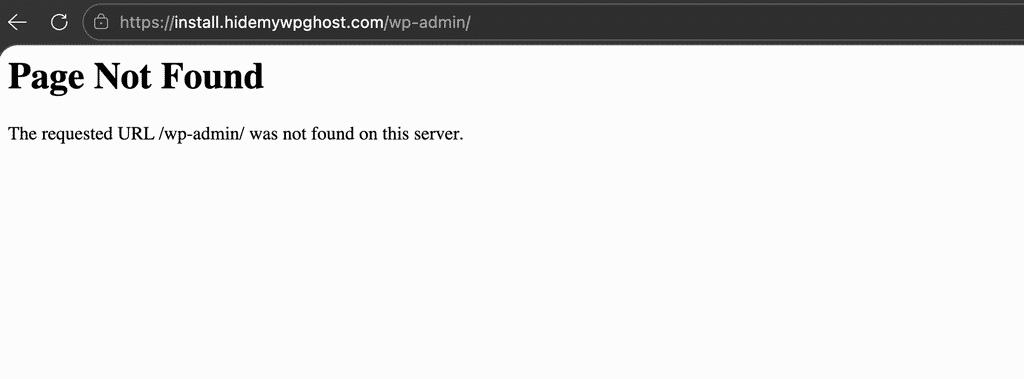
When a bot scans a WP Ghost-protected site, every single request to a default WordPress path returns a 404 error. The bot cannot confirm the site runs WordPress, so it moves on to easier targets. Your plugins, themes, and login page stay invisible.
How Hacker Bots Attack WordPress Sites
Understanding the attack process helps you see why path security is so effective. Here is what actually happens behind the scenes.
A human hacker does not personally visit your site. Instead, they deploy software (a bot) loaded with hundreds of actions and URLs designed to find breaches on WordPress sites. This bot crawls the internet from URL to URL, firing all its pre-loaded actions at every site without checking what CMS the site uses first.
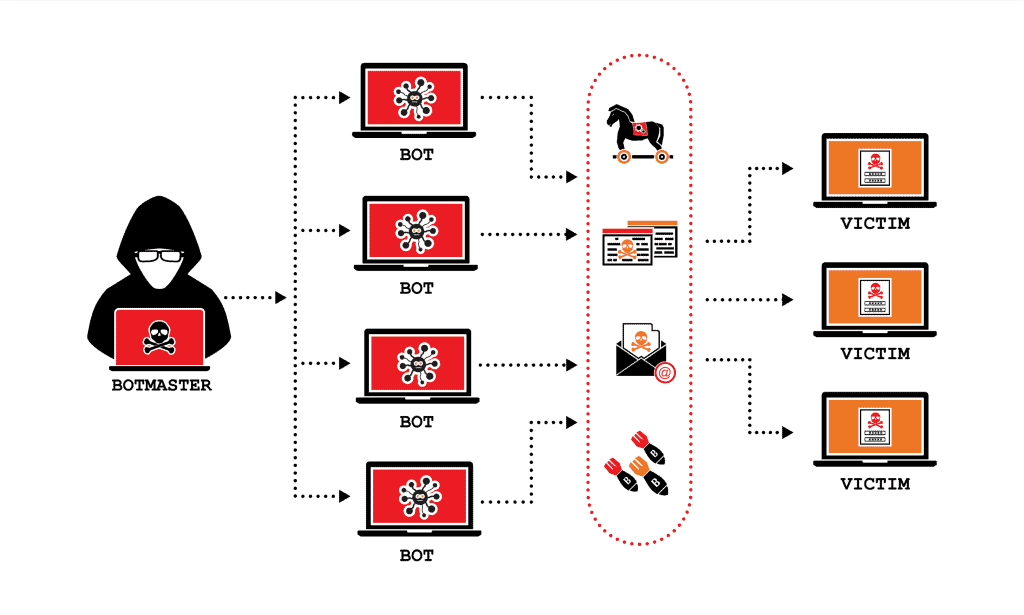
Once the bot gets a signal that a breach was found, it automatically injects a malicious script or worm. From that point, the site can be used for phishing, spam, cryptocurrency mining, or as part of a larger botnet. The owner often does not find out until the hosting provider suspends the account or Google flags the site as unsafe.
These attacks happen at a massive scale. There can be thousands of bot requests per minute hitting a single website, and most site owners have no idea it is happening.
What Bots Target on WordPress
For WordPress specifically, the most common attack paths fall into a few categories.
Most plugin and theme developers are not security specialists. Their code can contain small vulnerabilities that give bots a window to discover usernames and passwords, upload files to the server, or inject malicious scripts into existing files.
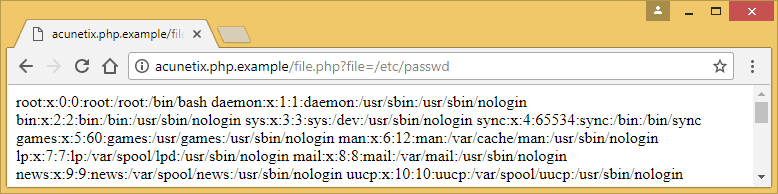
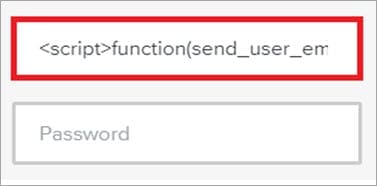
The majority of attacks contain paths to /wp-content/plugins/ and /wp-content/themes/, combined with requests to the default /wp-login.php and /wp-admin. Bots also probe for /wp-json/ (REST API), /xmlrpc.php, and common files like /wp-config.php and /readme.html.
Since you can not guarantee that every plugin you have installed is 100% secure, or that the next update will not introduce a vulnerability, it really is a matter of time before a bot finds a way in. Unless you remove the attack surface entirely.
How WP Ghost Prevents Attacks Before They Happen
This is the core reason WP Ghost exists. Instead of waiting for an attack to succeed and then cleaning up the mess, WP Ghost eliminates the attack surface so bots have nothing to target.
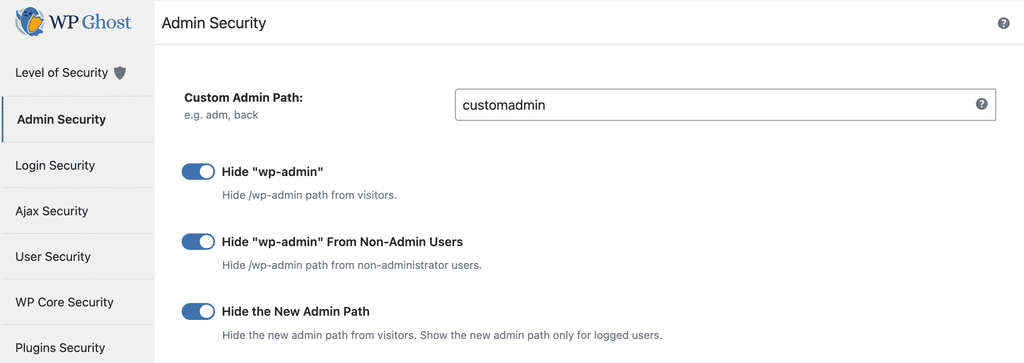
WP Ghost works by using server rewrite rules, WordPress filters, and URL mapping to change every common WordPress path. No files are physically moved or renamed, which means there is zero risk of breaking your installation. Deactivating the plugin restores all original paths instantly.
Once the paths are changed, the old paths are hidden and return a 404 error (Page Not Found) when hacker bots try to access them. The bot gets no signal that WordPress exists, so it has nothing to exploit.
Paths You Can Secure with WP Ghost
WP Ghost lets you change and secure virtually every WordPress path, including: wp-admin, wp-login.php, wp-includes, wp-content, wp-json REST API, uploads, author, wp-comments-post.php, individual plugin names, individual theme names, admin-ajax.php, lost password, register, activation, and logout paths. You can also hide common files like wp-config.php, readme.html, license.txt, install.php, and debug.log.
Built-in Firewall Protection
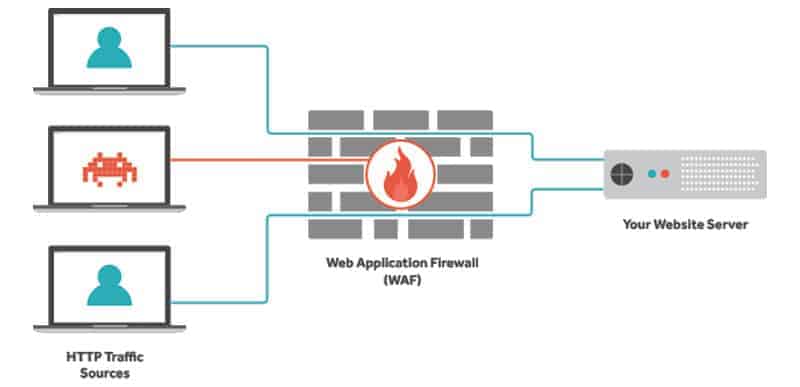
Path security is the first line of defense. The second line is the 8G Firewall built into WP Ghost. The firewall operates at the server edge, filtering out SQL injection attempts, script injection payloads, cross-site scripting (XSS), file inclusion exploits, and directory traversal attacks before they ever reach your WordPress core or database.
The firewall also includes security headers like Strict-Transport-Security, Content-Security-Policy, X-Frame-Options, and X-XSS-Protection to add browser-level protection on top of the server-level filtering.
Additional Security Features in WP Ghost
Beyond paths and the firewall, WP Ghost includes 115+ free features and 150+ premium features. Here are some of the key ones you can activate directly from the plugin:
Authentication and login security: Two-Factor Authentication via code, email, or passkeys (Face ID, Touch ID, Windows Hello). Magic Link Login for passwordless access. Brute Force Protection with Math reCAPTCHA, Google reCAPTCHA V2, and Google reCAPTCHA V3.
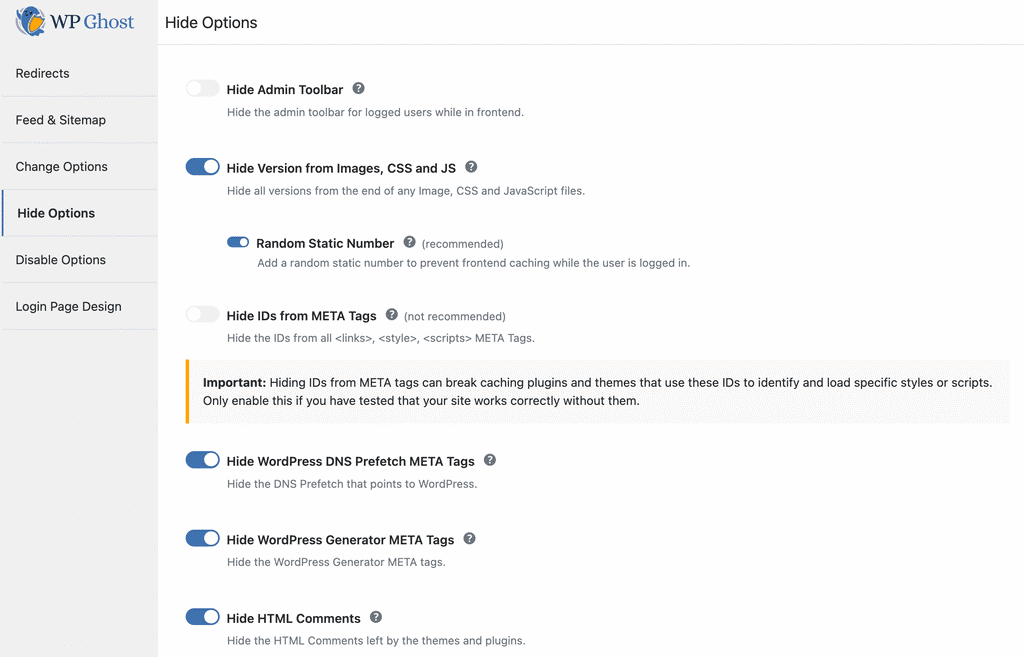
Access control and hardening: Disable XML-RPC access. Disable REST API for non-authenticated users. Disable directory browsing. Disable right-click, copy-paste, drag-drop, and inspect element. Hide WordPress version, generator meta, and RSD headers. Hide HTML comments from source code.
Monitoring: Security Threats Log to track every blocked attack in real time (Premium). User Events Log for monitoring admin actions (Premium). Email alerts for failed login attempts and suspicious activity.
Advanced protection: Country Blocking to restrict access from high-risk regions (Premium). Temporary Logins for developers and clients. Text Mapping and URL Mapping to change class names, IDs, and URLs in the source code.
Works Alongside Other Security Plugins
WP Ghost is designed to complement, not replace, other security tools. It works well alongside Wordfence, Solid Security, Sucuri, and others. While those plugins focus on malware scanning and threat intelligence (reactive security), WP Ghost focuses on preventing attacks before they reach your site (proactive security). Use them together for full defense in depth.
WP Ghost is also fully compatible with WooCommerce, all major page builders, and over 15 cache plugins. It runs on Apache, Nginx, LiteSpeed, and IIS servers and has been tested with 20+ hosting providers including WP Engine, Kinsta, SiteGround, GoDaddy, Cloudways, Flywheel, and many more. For the full list, see the Plugin Compatibility page.
What About Theme Detectors Specifically?
Now back to the original question. Can you hide from WordPress theme detectors? Yes, absolutely. But it is important to understand that hiding from theme detectors alone does not make your site more secure. The real security benefit comes from the path security and firewall that also happen to defeat these tools.
When WP Ghost changes your plugin and theme paths, removes WordPress fingerprints from the HTML source, and blocks theme detector crawlers at the firewall level, tools like WPThemeDetector, WhatWPThemeIsThat, WhatCMS, BuiltWith, and Wappalyzer can not identify your site as WordPress.
For the complete step-by-step guide on hiding from detectors, follow this tutorial: Hide Your Site From Theme Detectors and Hackers Bots.
Frequently Asked Questions
Does WP Ghost physically move or rename WordPress files?
No. WP Ghost uses server rewrite rules and WordPress hooks to change paths virtually. No core files are moved, renamed, or modified. Deactivating the plugin restores all default paths instantly.
Is hiding from theme detectors enough to protect my WordPress site?
Hiding from theme detectors alone is not a security strategy. What protects your site is changing and securing all default WordPress paths, enabling the firewall, and activating brute force protection. Defeating theme detectors is a side effect of proper path security, not the goal.
Will WP Ghost slow down my website?
No. WP Ghost is designed for zero-bloat performance. The firewall operates at the server edge using lightweight rules, and path security works through rewrite rules and output filters, not heavy database scans. Most users see no measurable impact on page load time.
Can I use WP Ghost with WooCommerce?
Yes. WP Ghost is fully compatible with WooCommerce. Cart, checkout, product pages, customer accounts, and AJAX-powered features all work normally with secured paths.
What is the difference between WP Ghost and malware scanners like Wordfence?
WP Ghost is a hack prevention plugin. It stops attacks before they reach your site by removing the attack surface. Wordfence and similar tools are primarily malware scanners and application firewalls – they detect and clean threats that have already reached your site. The two approaches are complementary and work best together.
Do I need coding skills to configure WP Ghost?
No. WP Ghost includes one-click security presets that configure the most important settings automatically. For the recommended configuration steps, check the WP Ghost Settings Best Practice guide.