
CDN URL Mapping in WP Ghost – Extend Path Changes to CDN Domains
This tutorial has moved to the new WP Ghost Knowledge Base where each feature is presented in detail.
Extend WP Ghost path changes to CDN-served assets. When your CDN uses a different domain or subdomain, WP Ghost’s standard path rewriting does not apply to those URLs. CDN Mapping ensures assets served from cdn.yourdomain.com or any external CDN domain use your custom paths instead of default WordPress directories.
Why CDN Domains Need Path Changes
WP Ghost rewrites URLs matching your local domain. CDN URLs use a different domain, so WP Ghost leaves them untouched. The result: local URLs show custom paths, but CDN-served images, CSS, and JS still reference /wp-content/. Scanners detect WordPress from these CDN URLs. CDN Mapping fixes this consistency gap.
How to Configure CDN URL Mapping
Go to WP Ghost > Mapping > CDN. If your CDN domain is already listed (auto-detected), no action needed. If not listed, enter your CDN domain (e.g., cdn.yourdomain.com). Click Save.
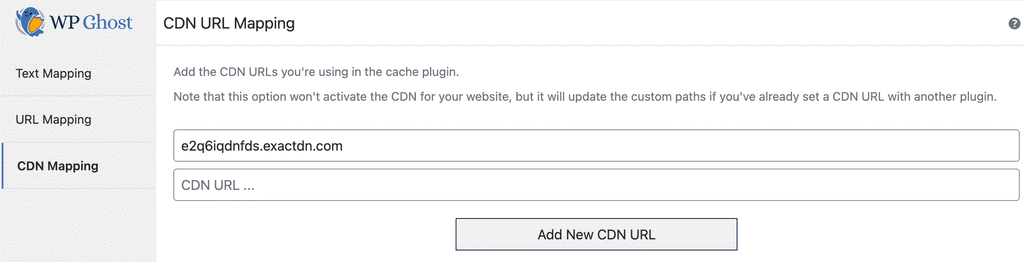
WP Ghost auto-detects CDN domains for: WP Rocket, CDN Enabler, Bunny CDN, EWWW Image Optimizer, JCH Optimize, Power Cache CDN, WP Cache CDN, and Hyper Cache CDN.
Frequently Asked Questions
Does this work with Cloudflare?
Cloudflare proxies your entire domain rather than using a separate CDN subdomain. Because Cloudflare URLs use your own domain, WP Ghost’s standard path changes already apply. CDN Mapping is for setups using a different domain or subdomain for assets.
Do I need this if I do not use a CDN?
No. If all assets are served from your local domain, standard path changes cover everything.
Does CDN Mapping affect CDN performance?
No. CDN Mapping only changes URL paths in HTML source code. The CDN continues serving files from edge servers normally.